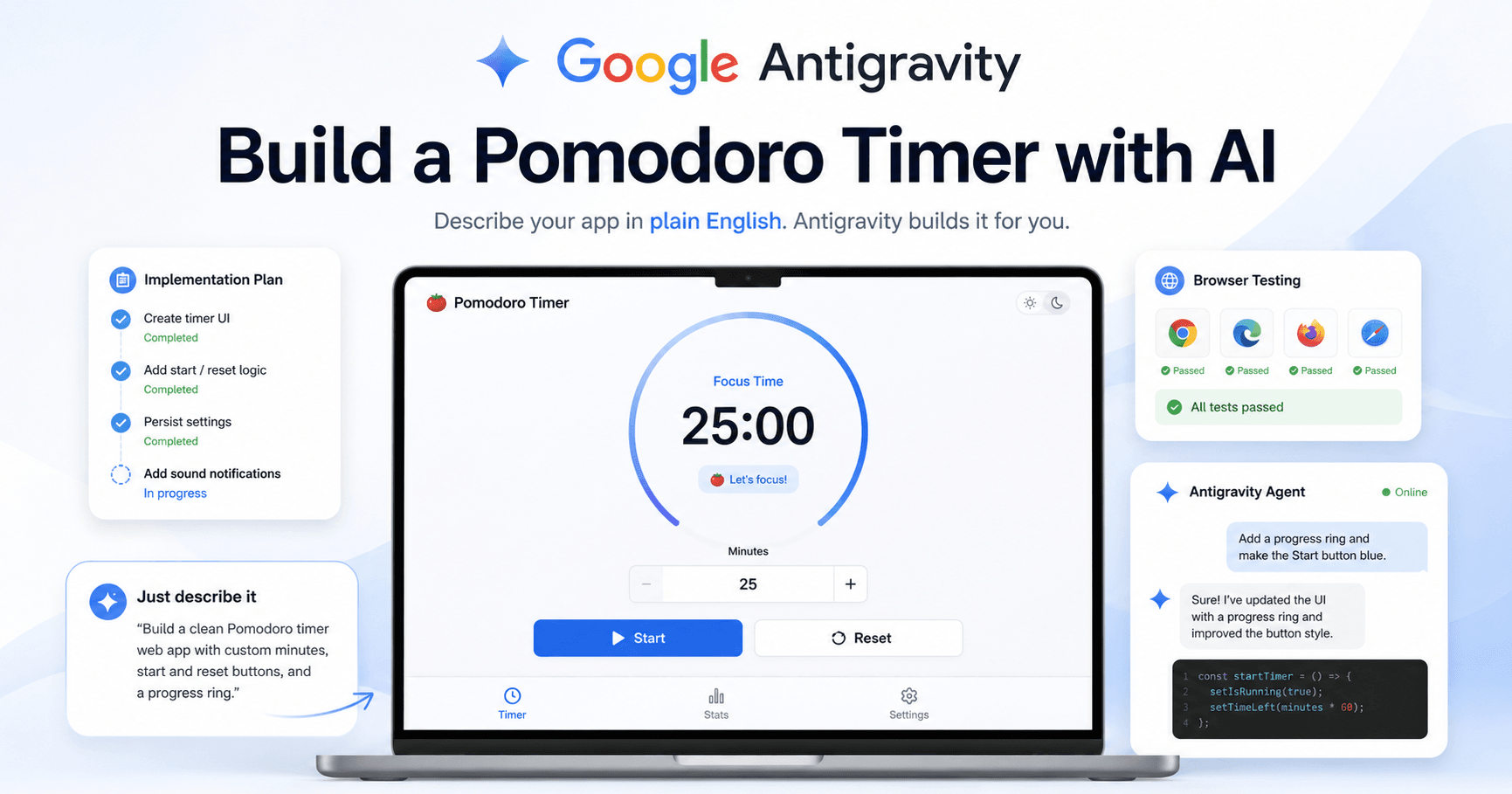

Google Antigravity is one of the most interesting new tools for people who want to build apps with the help of AI. Instead of only giving you code snippets like a normal chatbot, Antigravity works more like an AI development environment.
It can plan a project, create files, run terminal commands, open a browser, test the app, fix errors, and show you what it changed. This makes it useful not only for experienced developers, but also for beginners who want to create simple web apps without writing every line of code manually.
In this tutorial-style guide, we will look at how Google Antigravity can be used to build a working Pomodoro timer from scratch.
What Is Google Antigravity?
Google Antigravity is an agentic IDE. That means it is not just a place where you write code. It includes AI agents that can help you manage the development process.
You can describe what you want in plain English, and the agent can turn that request into a working project. It can create HTML, CSS, and JavaScript files, review its own work, test the result in a browser, and give you a walkthrough of what it completed.
This changes the way people build small applications. Instead of starting with a blank screen and trying to remember every setup step, you can act more like a project manager. You explain the goal, review the plan, approve changes, and ask for improvements.
Setting Up Google Antigravity
To begin, you need to download and install Google Antigravity from the official website. The tool is available for Windows, macOS, and Linux.
After installation, the setup process is simple. You choose a theme, select how you want to use the Antigravity agent, and sign in with your Google account.
One important part of the setup is the safety configuration. Beginners should pay attention to two settings: auto execution and review policy.
Auto execution controls whether the AI can run terminal commands automatically. If you choose “request review,” the agent will ask for permission before doing things like installing packages or running commands.
Review policy controls whether the AI can modify your code files without approval. For beginners, it is better to keep this on “request review.” This way, the AI behaves more like a junior developer. It can suggest changes, but you approve them before they are saved.
This is a good balance because you get the speed of AI without losing control of your project.
Understanding the Interface
At first glance, Antigravity looks similar to VS Code. However, it includes extra controls for working with AI agents.
One important area is the Agent Manager. You can think of it as mission control. If you have multiple agents working on different projects, this is where you can monitor them.
For a beginner project, you can stay inside the editor view. This is where the actual coding work happens. On the side, you will see the agent chat, where you can send instructions and ask the AI to build or modify features.
Building a Pomodoro Timer
For the first project, the goal is to build a modern web-based Pomodoro timer.
The prompt is simple:
Create a modern web-based Pomodoro timer. It should have a large 25-minute countdown display and start and reset buttons. When the timer hits zero, play a notification sound. Use HTML, CSS, and vanilla JavaScript.
This is a great beginner project because it is small enough to understand, but still includes useful parts like layout, styling, JavaScript logic, button interactions, and sound effects.
After sending the prompt, Antigravity does not immediately start changing files. Because the review policy is enabled, it first creates a plan and asks for approval.
This is helpful because you can see what the AI intends to build before it writes the final code. In this case, the plan includes the HTML structure, CSS styling, and JavaScript timer logic.
Once the plan looks good, you can approve it and let the agent continue.
Letting the Agent Test the App
One of the most impressive parts of Antigravity is that the agent can open a browser and test the app by itself.
After creating the Pomodoro timer, the agent asks to use the browser. Once the browser extension is installed, it can interact with the page just like a user. It can click buttons, start the timer, check if the countdown works, and verify whether the interface behaves correctly.
The agent can also create a screen capture or walkthrough after testing. This makes it easier to trust the result because you are not only receiving code. You are also seeing evidence that the feature was tested.
This is especially useful for beginners because testing code manually can feel confusing. With Antigravity, the AI helps with both building and verifying the app.
Reviewing the Generated Code
After the first version is complete, you can inspect the files. For a simple Pomodoro timer, the project usually includes three main files: HTML, CSS, and JavaScript.
The HTML controls the page structure. The CSS controls the visual design. The JavaScript controls the timer logic, including the countdown, buttons, reset behavior, and notification sound.
In the generated code, the default timer duration is set to 25 minutes. This works for a traditional Pomodoro session, but you may want more flexibility.
That is where iteration becomes powerful.
Improving the App with Plain English
Instead of editing the JavaScript manually, you can go back to the agent chat and ask for improvements.
For example, you can ask:
Add a sound effect when the timer hits zero. Also, add an input field so the user can set a custom time in minutes.
This is one of the best parts of using Antigravity. You do not need to explain exactly how to code the feature. You only need to describe what you want the app to do.
The agent then creates a new implementation plan, explains the changes, modifies the files, and tests the app again.
In the example, the AI adds a custom time input and a sound effect. It also tests the updated timer in the browser. If something goes wrong, the agent can attempt to fix the error and continue testing.
Because this is still cutting-edge software, it may sometimes hang or take too long while opening the browser. If that happens, you can cancel the action and open the app manually. The tool is powerful, but it still needs human supervision.
Testing the Final Timer
After the updates are complete, the Pomodoro timer becomes more useful. Instead of only using a fixed 25-minute session, the user can enter a custom duration.
For example, you can enter one minute, click start, and wait for the countdown to finish. When the timer reaches zero, the app plays a notification sound. The reset button also works, allowing the user to start again.
At this point, you have a functional web app created mainly through conversation.
You can also continue improving it. You could ask Antigravity to change the colors, redesign the interface, add dark mode, include session history, or create different timer presets.
Finding and Exporting the Files
One thing beginners should understand is that the export button in Antigravity may not export the actual website files. It can export a markdown record of the building process, which is useful if you want to save the project history.
But if you want the real website files, they are already stored locally on your computer.
You can open the project folder and find files like index.html, styles.css, and script.js. These are the files you need if you want to upload the project to a hosting platform.
In other words, you do not need to export the code from Antigravity. You just need to locate the folder where the project was created.
Publishing the App Online
To test the app online, you can use a simple hosting option like Netlify Drop. This allows you to drag and drop your project folder into the browser and get a temporary live link.
After uploading the folder, Netlify gives you a link and, in some cases, a temporary password. You can open the link, test the timer, and share it with someone else.
This means you can go from a blank screen to a live web app in just a few minutes.
Why This Workflow Matters
Google Antigravity shows a new way to build software. The developer does not need to write every line of code from scratch. Instead, the developer gives direction, reviews the output, approves changes, and asks for improvements.
This does not mean the AI replaces the developer completely. You still need to understand what you are building, review the code, test the result, and make decisions. But it removes a lot of repetitive work and makes the process faster.
For beginners, this can make coding feel less intimidating. For experienced developers, it can speed up prototyping and help test ideas quickly.
Final Thoughts
Google Antigravity is a powerful tool for building small apps with AI assistance. In this example, it was used to create a complete Pomodoro timer with a countdown display, start and reset buttons, custom time input, sound effects, browser testing, and online deployment.
The most important lesson is that you can build by describing what you want in natural language. You act like the project manager, while the AI handles much of the setup, coding, testing, and documentation.
If you are new to coding or curious about AI development tools, Google Antigravity is worth exploring. It makes the process of creating a web app feel faster, more visual, and much more approachable.







评论0
请登录后发表评论。