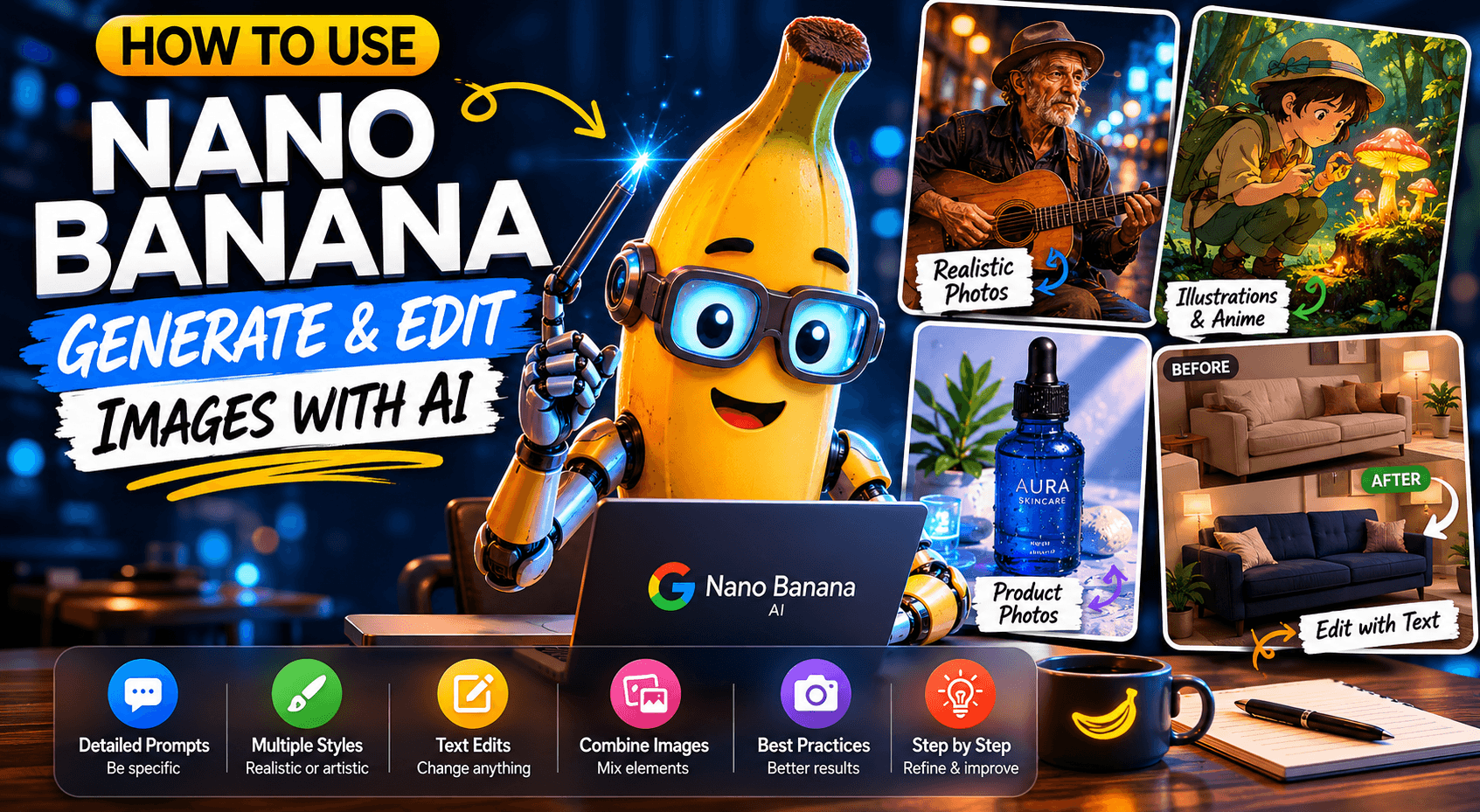

Nano Banana has been getting attention because it makes AI image generation and editing much easier. But even though it is simple to use, the quality of the results depends a lot on how you write your prompts.
It is not enough to simply say “create a beautiful image.” To get more realistic, consistent, and useful images, you need to describe what you want clearly, define the desired style, and refine the result step by step when needed.
In this article, you will learn some of the main techniques for using Nano Banana better when generating images, editing visuals, and creating more professional results.
Generating Realistic Images
To create realistic images, the ideal approach is to write more detailed prompts. This means describing the type of scene, the character, the environment, the lighting, the framing, and even camera details.
For example, instead of simply asking:
“Create a photo of a street musician.”
You can ask for something more complete:
“Create a close-up portrait of a street musician in his 60s, inside an urban tunnel, with warm artificial light mixed with cool fluorescent ceiling lights, a cinematic look, and sharp focus.”
This kind of description helps Nano Banana better understand the atmosphere of the image. The clearer the prompt, the more control you have over the result.
You can also use photography terms such as wide-angle lens, full shot, golden hour, blurred background, macro photography, or studio lighting. Even if you do not know much about photography, using these terms can greatly improve the image composition.
Creating Illustrations and Artistic Styles
When the goal is not to create a realistic image, but rather an illustration, anime-style image, drawing, or concept art, the prompt should follow a different direction.
In this case, instead of focusing on camera and lens details, you should highlight artistic elements, such as illustration style, color palette, shading type, visual atmosphere, and artistic technique.
For example:
“Create a retro anime-style illustration of a botanist examining a glowing mushroom in an enchanted forest, with a soft sage-green color palette, delicate cel shading, and warm ambient lighting.”
This type of prompt helps the AI follow a clearer aesthetic direction. Nano Banana can work with several styles, such as 3D animation, watercolor, cartoon stickers, hand-drawn sketches, and cinematic illustration.
An interesting detail is that it can also handle text inside images relatively well, which is something many image generators still struggle with.
Creating Product Photos
Another very useful application of Nano Banana is creating commercial product photos. These images can be used in online stores, social media, ads, and brand presentations.
For this type of image, the prompt should focus on the product, the lighting, and the composition.
An example would be:
“Create a high-resolution product photograph of a frosted blue glass skincare bottle, placed on a textured white sand surface, with soft studio lighting, sharp focus, and an ultra-realistic appearance.”
This prompt model works well because it clearly defines the main product, the background, the lighting, and the desired visual feel.
Nano Banana can also create realistic details such as shadows, reflections, surface texture, and material transparency. This makes the tool interesting for anyone who wants to produce commercial images without setting up a real photo studio.
Editing Images with Text
One of Nano Banana’s most powerful features is editing existing images using only text.
You can upload an image and ask for specific changes while keeping the rest of the scene the same. This technique is known as inpainting or semantic masking.
For example, you can upload a living room photo and ask:
“Change only the sofa color to navy blue, while keeping the lighting, walls, coffee table, and all other elements the same.”
The advantage is that the AI understands what should be changed and what needs to remain untouched. This is very useful for testing colors, materials, furniture, decoration, clothes, products, and visual variations without having to recreate the entire image.
It is also possible to make bigger changes, such as transforming the floor into wood, changing the material of a piece of furniture, or adjusting specific parts of a scene.
When there are many changes, it may be better to make one change at a time. This gives you more control over the final result.
Combining Multiple Images
Nano Banana also allows you to combine elements from different images.
A practical example is taking a photo of an outfit and a photo of a model, then asking the AI to create a realistic image of the model wearing that outfit.
This feature can be very useful for fashion, e-commerce, visual shoots, catalogs, and product testing.
However, it is important to note that the result is not always perfect. In some cases, the clothing may look “pasted” onto the image or may not fully respect the model’s pose and body physics. That is why it is worth testing variations and adjusting the prompt.
The clearer the instruction, the better:
“Use the outfit from the first image and apply it to the model in the second image, creating a realistic full-body photo with natural lighting and shadows, while keeping the model’s pose and adapting the fabric to the body.”
This type of reinforcement helps the AI understand that the result needs to look natural, not just like a simple montage.
Best Practices to Improve Your Prompts
The first best practice is to be specific. A generic prompt can still generate a beautiful image, but a detailed prompt gives you much more control.
Instead of writing “fantasy armor,” you can describe the material, details, shape, ornaments, and style of the piece.
The second practice is to provide context. If you ask for a logo, explain what type of brand it will be used for. For example:
“Create a logo for Aura, a minimalist and premium skincare brand.”
This context helps the AI create something more aligned with the real goal.
The third practice is to refine through conversation. You do not need to get everything right on the first try. Generate an initial image and then request adjustments, such as changing the color, lighting, scenery, or specific details.
The fourth practice is to break complex scenes into steps. Instead of describing everything in one sentence, organize the prompt by parts:
“First, create a misty forest in the background. Then, add a moss-covered altar in the foreground. Finally, place a glowing sword embedded in the altar.”
This helps the AI build the composition more effectively.
The fifth practice is to use positive descriptions instead of only negative commands. Instead of saying “no cars,” you can say “an empty, deserted street with no signs of traffic.” This usually works better.
The sixth practice is to use photographic terminology. Words like close-up, medium shot, wide-angle, macro lens, soft light, depth of field, and golden hour help control the image style.
Conclusion
Nano Banana is a powerful tool for generating, editing, and combining images with artificial intelligence. But the secret to good results lies in how you write your prompts.
More specific prompts, with context, visual style, and clear instructions, tend to generate much better images. Also, working in steps and refining results through conversation can help avoid frustration and greatly improve the final quality.
Whether you want to create realistic photos, illustrations, product images, or specific edits, Nano Banana can be an excellent tool to speed up creative processes and produce professional-looking images more easily.







Comments0
Please sign in to leave a comment.