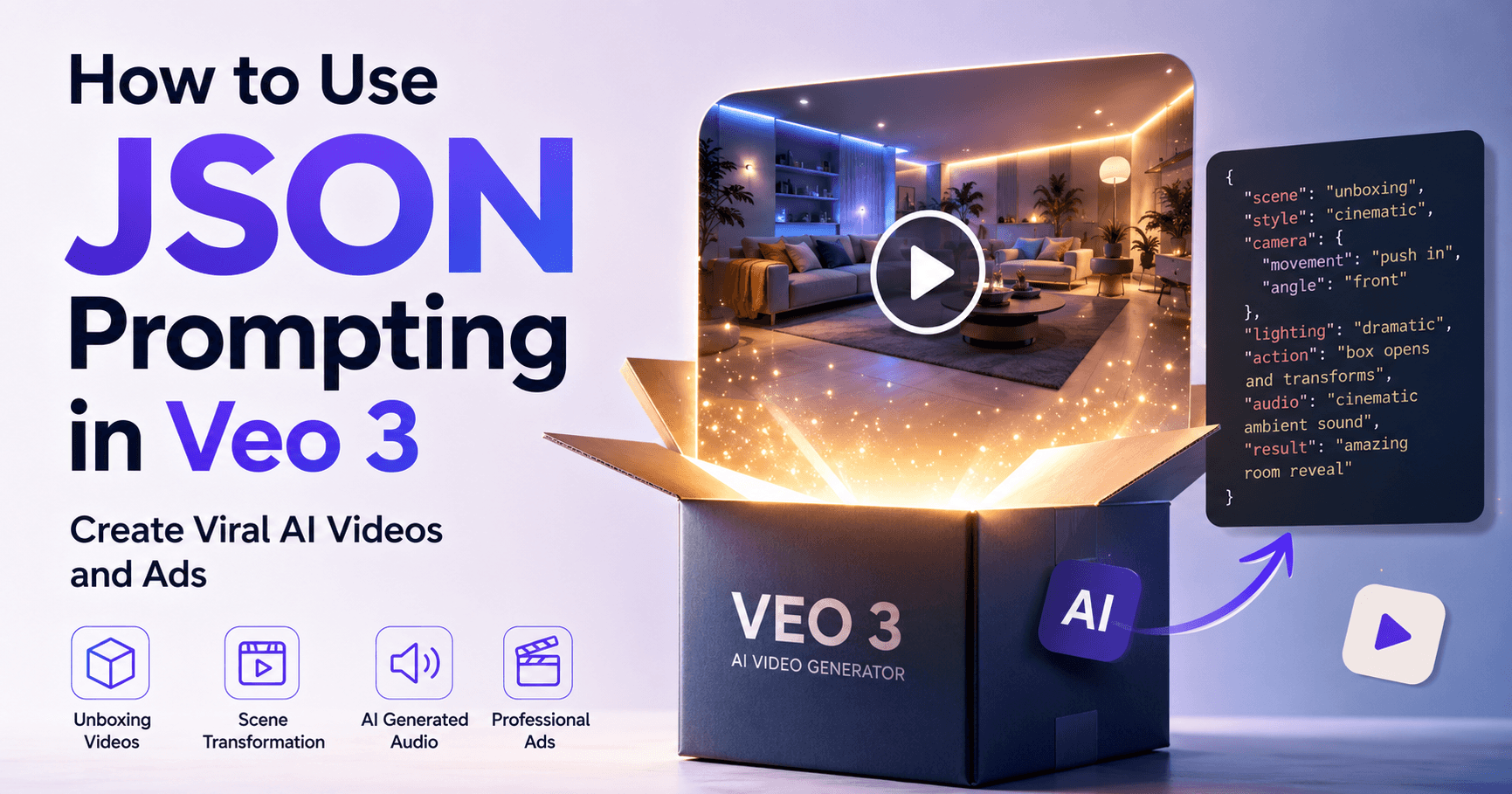

Videos created with Veo 3 are getting a lot of attention on social media. Many of them follow a similar visual format: a box opens, the scene transforms, and within a few seconds, a video appears with the look of a professional advertisement.
This style became popular mainly through AI-generated unboxing videos. But the most interesting part is that the idea is not limited to one format. You can use the same concept to create videos for brands, products, characters, themed rooms, launches, and even complete commercials.
One of the techniques used to organize this type of video better is JSON prompting.
Although the name may sound technical, the idea is simple: instead of writing a loose prompt, you organize the information into a clearer structure. This helps the AI understand what should happen in each part of the scene.
What is JSON Prompting?
JSON prompting is a structured way of writing prompts. It uses an organization similar to code, separating details such as scene, camera, lighting, objects, environment, action, style, and audio.
This does not mean JSON is a magic formula. It does not automatically turn any idea into a perfect video. In practice, it works as a more organized format to explain what you want the AI to create.
Instead of writing something too simple, such as:
“Box opening and room transforming.”
You can describe the scene in more detail:
What object appears
How the box opens
What type of environment appears
What visual style should be used
How the camera moves
What lighting should be used
What sounds should accompany the video
What the final result should look like
This organization helps the model follow a more logical sequence.
Why Does This Format Work Well in Veo 3?
Veo 3 is very strong at creating short videos with a cinematic style. It can interpret movement, environment, light, audio, and visual composition.
When the prompt is written in a structured way, the tool receives clearer direction. This is especially useful for transformation videos, unboxing videos, and ads, because this type of content needs order.
For example, first the box appears. Then it opens. After that, the scene begins to change. Finally, the product or final environment is revealed.
If all of this is well explained, the chances of the video coming closer to the original idea increase a lot.
How to Create AI Unboxing Videos
One of the most popular styles is the unboxing video with environment transformation. In this format, a box appears in the center of the scene, opens, and reveals a new visual world.
This type of video can be used for many ideas:
Character-themed bedroom
Luxury product reveal
Smartphone launch
Brand-inspired scene
Perfume ad
Coffee shop campaign
Car presentation in a cinematic style
The appeal of this format is the surprise. The video starts simple and ends with a much more impactful visual.
Example Structure for a Good Prompt
A JSON-style prompt can organize the idea like this:
Scene title
Initial description
Main object
Transformation action
Visual style
Camera movement
Lighting
Scene elements
Ambient sound
Final result
This structure helps avoid vague prompts. The more specific the request is, the more control you have over the result.
For example, for a product launch video, the idea could be:
A minimalist box appears in a dark studio. The camera slowly moves closer. The box opens with soft light coming from inside. The product appears in the center, surrounded by glowing particles, elegant reflections, and cinematic music. The scene ends with a clean, premium view of the product.
This type of description already gives the AI much more direction than simply asking it to “make a beautiful ad.”
JSON Prompting Does Not Replace Creativity
One important point is that JSON prompting does not do everything by itself. It organizes the idea, but the creativity still comes from the person creating the video.
The quality of the result depends mainly on three factors:
A clear idea
A well-structured prompt
A few attempts until it works
Even with a good prompt, you may need to generate the video more than once. Sometimes, the AI understands part of the scene but gets a detail wrong. In other cases, the result looks good but not exactly as you imagined.
This is part of the process. Creating with AI still requires testing, adjustment, and refinement.
Creating Ads with Veo 3
Besides unboxing videos, JSON prompting can also be used to create professional advertisements.
You can request scenes inspired by commercials for technology, cars, perfumes, food, fashion, or drinks. The difference is in adapting the prompt to the style of the brand or product.
For a smartphone ad, for example, you can ask for a futuristic setting, slow motion, metallic reflections, studio lighting, and an elegant product reveal.
For a perfume ad, you can use glass, smoke, flowers, particles, dramatic lighting, and smooth camera movements.
For a coffee brand, you can create a scene with coffee beans falling, steam rising, a cozy ambient sound, and a cup appearing as the main focus.
The secret is to think like a scene director. AI performs better when you describe not only the object, but also the atmosphere around it.
Use Tools to Generate Better Prompts
A practical tip is to use a chatbot to build the prompt structure. You can ask something like:
“Create a JSON-format prompt for a product launch video in Veo 3, with cinematic style, slow camera movement, premium lighting, and ambient sound.”
Then, simply review the result, adjust the details, and paste it into the tool you use to generate the video.
This saves time and helps especially those who still do not know how to structure more advanced prompts.
Important Settings
In the transcript, the creator uses Veo 3 through the OpenArt platform, but also mentions that it is possible to use Google Flow.
For this type of video, he recommends using text-to-video mode, choosing the Veo 3 model, keeping audio enabled to generate sound effects, and selecting 1080p resolution when available.
It is also possible to choose between modes such as fast or normal, depending on the platform. Fast mode usually uses fewer credits, but the result may vary.
Video Ideas You Can Create
This format opens many creative possibilities. You can create:
Fictional product ads
Brand launch videos
Character-themed rooms
Luxury commercials
Environment transformations
Social media videos
Visual concepts for campaigns
Short product presentations
The most interesting part is that many of these videos can look like expensive productions, even though they are created only with prompts and AI.
Be Careful When Using Famous Brands
Although it is possible to create videos inspired by famous brands, it is important to be careful. Using names, characters, or protected visual identities can cause problems, especially if the content is used commercially.
For studies, tests, and inspiration, this can be useful. But for real ads, the ideal approach is to create your own brands, products, and characters.
This way, you can take advantage of AI’s creative power without depending on copyrighted elements or registered trademarks.
Conclusion
JSON prompting is a more organized way to create AI videos in Veo 3. It is not magic, but it helps a lot when the goal is to create scenes with sequence, transformation, visual style, and audio.
This method works very well for unboxing videos, ads, product launches, and short commercials. By separating the information into parts, you make the AI’s job easier and increase the chances of getting a more professional result.
Even so, the process still requires creativity and testing. The first result will not always be perfect. The ideal approach is to adjust the prompt, try new versions, and think of each video as a small scene direction.
With a good idea, a clear structure, and a few attempts, Veo 3 can become a powerful tool for creating impactful, modern, and professional-looking videos using only text.







टिप्पणियाँ0
टिप्पणी करने के लिए कृपया साइन इन करें।