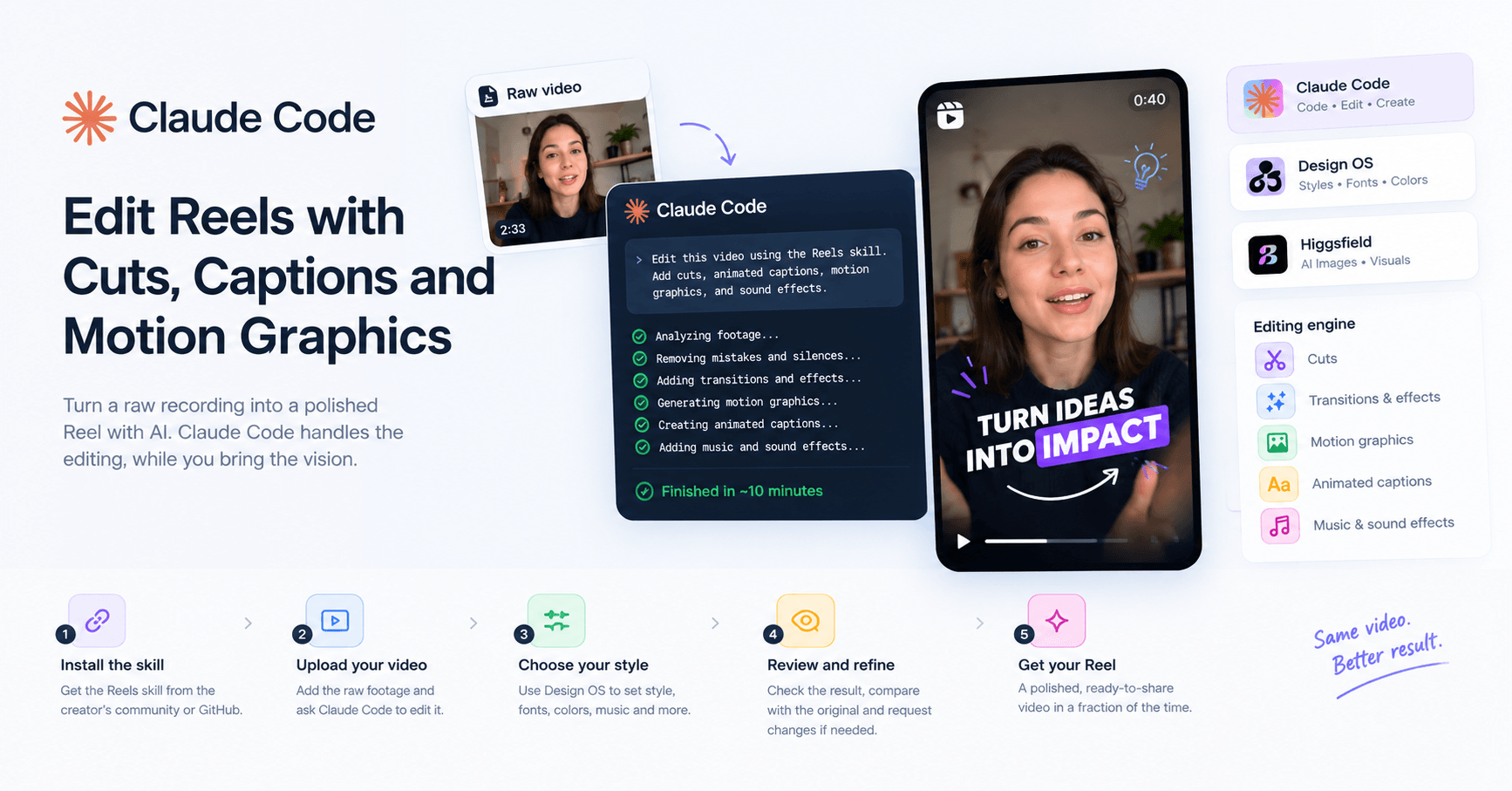

A raw recording can become an edited Reel with cuts, animated captions, sound effects, and AI-generated visuals. The workflow shown in the video combines an editing skill for Claude Code with visual references and, optionally, tools such as Design OS and Higgsfield.
The difference lies in the instructions that guide the editing. Simply asking AI to “edit the video” may remove mistakes and pauses, but the result is often basic. In the demonstration, the first attempt cut out mistakes and silences, but left static images and little sense of rhythm.
What Makes an Edit More Dynamic
The video describes the combination of elements that give a Reel rhythm and cohesion as an “editing engine”:
cuts;
transitions and effects;
motion graphics;
animated captions;
music and sound effects.
A skill can bring together instructions for these elements, so you don’t have to explain every detail for each new project. In the example, a raw recording that was 2 minutes and 33 seconds long was cut down to about 40 seconds. According to the creator, editing with the skill took approximately 10 minutes, using a simple prompt.
The result can still be refined. The creator suggests providing screenshots as visual references, requesting adjustments, and reviewing the finished edit. The skill provides a starting point, while additional instructions help bring the video closer to the style you want.
How to Install and Use the Skill
The skill featured in the video is available for free through the creator’s community and a GitHub repository. The demonstrated process is to copy the repository link, paste it into Claude Code, and ask it to install the Reel-editing skill. Then, upload the raw video and ask Claude Code to edit it using the skill.
The video also features the creator’s Design OS tool, which offers ways to guide the process: choose whether to process the audio, select from different editing styles, adjust fonts and colors, apply color grading, add music and sound effects, and provide references such as videos, animations, logos, or images.
Before delivering the final version, the system displays cards for review and lets you request changes. You can also compare the original footage with a preview and submit new instructions to revise parts of the video.
Visual References and Image Generation
To guide the motion graphics, the creator recommends using references. The video shows a library of animations for inspiration and says that references created with the model used by the creator can help reproduce visual details more faithfully.
The video also presents Higgsfield as an option for generating images that can enhance the visuals. This approach may use credits in both Claude Code and the image-generation tool. However, the creator says it isn’t required: some examples were made with the skill, editing styles, and image references, without using Higgsfield.
The workflow’s main idea is to combine reusable instructions, references, and review. The skill reduces the need to repeatedly explain how to edit; style options and adjustments let you tailor each video; and references help guide the final look.






टिप्पणियाँ0
टिप्पणी करने के लिए कृपया साइन इन करें।