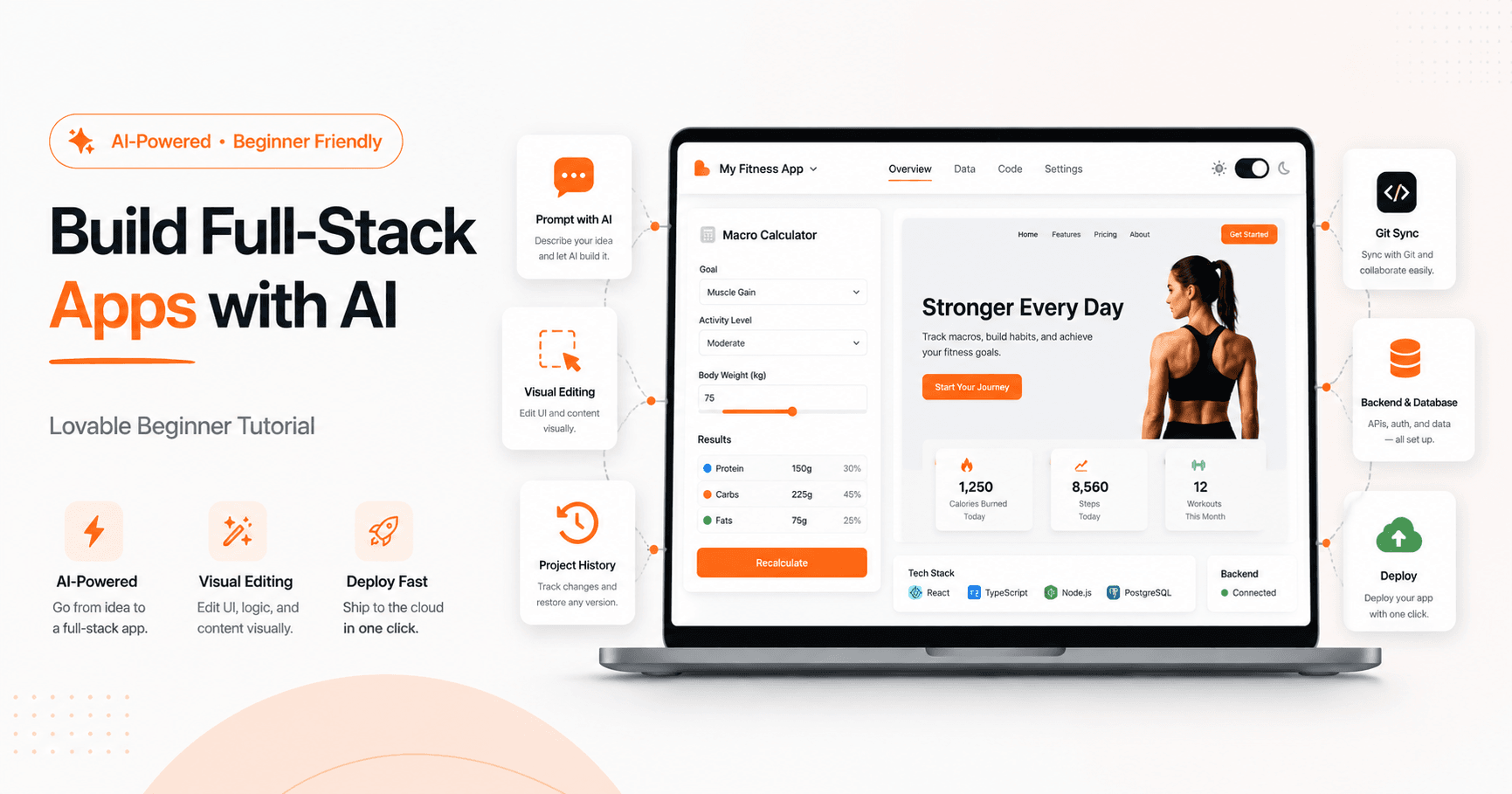

Lovable is an AI-powered platform that helps you build web applications by simply describing what you want. Instead of starting with a blank code editor, you start with a prompt. You explain the idea, the style, the features, and the experience you want users to have. Then Lovable creates the first version of your app for you.
The best part is that you do not need to be an expert programmer to get started. You can still view and edit the code if you are technical, but the main workflow is built around natural language. That makes Lovable useful for beginners, creators, designers, entrepreneurs, and developers who want to move faster.
What Is Lovable?
Lovable is designed to create full-stack web applications using AI. This means it can help build both the frontend and the backend.
The frontend is what users see and interact with, such as buttons, forms, pages, colors, layouts, and animations. The backend handles deeper functionality, such as user accounts, authentication, databases, saved information, and private user data.
To use Lovable, you create an account, open the prompt box, and describe the app you want to build. Lovable then generates a working version that you can preview directly inside the editor.
Start with a Clear App Idea
Before writing your first prompt, it is important to know what you want to build. The more specific your idea is, the better the result will be.
In the tutorial example, the project starts as a simple macro calculator for a future fitness app. The goal is to let users enter information like gender, height, weight, activity level, and fitness goal. Based on that, the app calculates recommended calories, protein, fat, and meals per day.
A good strategy is to build one feature at a time. Instead of asking Lovable to create a huge app with every feature at once, start small. First, create the calculator. Then add a landing page. After that, add user accounts. Later, connect a database and improve the design.
This step-by-step approach reduces errors and makes the project easier to control.
Writing a Good Prompt
A strong Lovable prompt should clearly explain what the app does, who it is for, and how it should look.
For example, instead of saying:
“Create a fitness app.”
You could say:
“Create a simple macro tracking application. Users should enter their gender, height, weight, activity level, and fitness goal. The app should calculate daily calories, protein, fat, and suggested meals. Keep the design clean, intuitive, and easy to use. Use an orange and black color theme. Start with a working version first.”
This kind of prompt gives Lovable enough direction without making the first version too complicated.
Understanding the Lovable Editor
Lovable’s interface is split into two main areas. On the left side, you write prompts and communicate with the AI. On the right side, you see a live preview of your app.
This live preview is useful because you can instantly test what Lovable created. You can click buttons, fill forms, switch pages, and check how the app looks on desktop, tablet, or mobile.
Lovable also has different modes. In the normal mode, it can make changes to your project. In chat mode, it only answers questions and helps you think through ideas without changing the code. This is very useful when you want advice, explanations, or help creating a better prompt before applying changes.
Making Visual Edits
One of Lovable’s helpful features is visual editing. You can select a specific part of your app and ask Lovable to change only that element.
For example, if you do not like the style of a title, you can click it and ask Lovable to underline it, change its color, adjust the spacing, or improve the font style.
This is more precise than sending a broad prompt because Lovable knows exactly which part of the interface you want to modify. It helps avoid unnecessary changes in other areas of the app.
Using History to Restore Previous Versions
As your project grows, mistakes can happen. Lovable includes a history feature that lets you go back to previous versions of your app.
If you make a change and do not like it, you can restore an earlier state. This is useful when testing new designs, adding features, or experimenting with different layouts.
For technical users, Lovable can also show code differences, so you can see exactly what changed between versions.
Adding a Landing Page
After creating the first working calculator, the next improvement is adding a landing page. A landing page makes the app feel more complete and professional.
For example, you can ask Lovable to create a modern homepage for the fitness app, explain the benefit of the macro calculator, and include a clear button that sends users to the calculator page.
Lovable can automatically create different routes, such as the home page and a separate calculator page. This makes the app feel closer to a real product instead of just a single tool.
Using Meta Prompting
Meta prompting means asking Lovable to help you write a better prompt.
For example, if you want to add a light and dark mode toggle but do not know how to describe it properly, you can turn on chat mode and say:
“I want to add a dark and light mode toggle to my website. Help me create a clear prompt that I can give to Lovable so it can make the change without breaking the project.”
Lovable can then generate a detailed prompt based on your current project structure. After that, you copy the improved prompt, turn off chat mode, and ask Lovable to apply it.
This is a smart way to get better results, especially when the feature is more complex.
Adding Animations and Better UI Components
Lovable can also work with external UI component prompts. In the tutorial, a tool called 21st.dev is used to find modern animated components and copy a ready-made prompt.
This can help you add advanced visual effects, interactive sections, and polished landing page elements without manually writing the code from scratch.
However, animations should be used carefully. A flashy animation may look impressive, but it needs to match the purpose of the app. For a fitness calculator, a clean and practical design is usually better than something too complex.
Adding Project Knowledge
Lovable includes a knowledge section where you can add rules and preferences for the project.
This is useful when there are instructions you want Lovable to always follow, such as:
“Always keep the UI clean and easy to understand.”
“Every component should support both light and dark mode.”
“Do not overcomplicate the design.”
“Use simple layouts and readable spacing.”
Adding these rules helps Lovable stay consistent as the project becomes larger.
Connecting GitHub
For more serious projects, connecting Lovable to GitHub is very useful. GitHub stores your project code and keeps track of changes over time.
When Lovable is connected to GitHub, changes made in Lovable can sync with the GitHub repository. Technical users can also edit the code directly in GitHub or work locally on their computer.
This is especially helpful if the project grows beyond a simple prototype and becomes something you want to maintain, improve, or collaborate on.
Adding a Backend with Supabase
A simple calculator can work without a backend. But if you want users to create accounts, log in, save data, or access private information, you need backend functionality.
Lovable uses Supabase as its default backend integration. Supabase can handle authentication, databases, and stored user data.
In the tutorial, the app is upgraded so users can create an account, sign in, and save their macro calculations. Each calculation is stored under the user’s account, and users can view their previous results in a history section.
This turns the app from a simple calculator into a more complete full-stack application.
Testing and Debugging
Even with AI, mistakes can happen. A page may not load correctly, a button may not work, or a feature may be missing.
The best way to debug in Lovable is to be specific. Explain what is wrong, what you expected to happen, and what happened instead. You can also attach screenshots or ask Lovable to solve one problem at a time.
For example:
“The authentication works, but I do not see a place where users can view their saved calculations. Please add a simple history section to the calculator page.”
This kind of prompt gives Lovable a clear task and makes debugging easier.
Publishing the App
Once the app is working, Lovable lets you publish it. After publishing, you get a live URL that other people can visit.
You can also connect a custom domain, review security settings, and improve SEO later. The first published version does not need to be perfect. It can be a working prototype that you continue improving over time.
Final Thoughts
Lovable is a powerful tool for building web apps with AI. It is especially useful because it lets you start with plain English prompts and gradually turn an idea into a working application.
The best workflow is simple: start with a clear idea, build one feature at a time, test everything, use chat mode when you need help, and add backend features only when the app needs them.
For beginners, Lovable makes app development much more approachable. For developers, it can speed up prototyping and reduce repetitive work. With tools like visual editing, project knowledge, GitHub sync, Supabase integration, and one-click publishing, Lovable can help transform a basic idea into a real full-stack product.







Comentarios0
Inicia sesión para comentar.