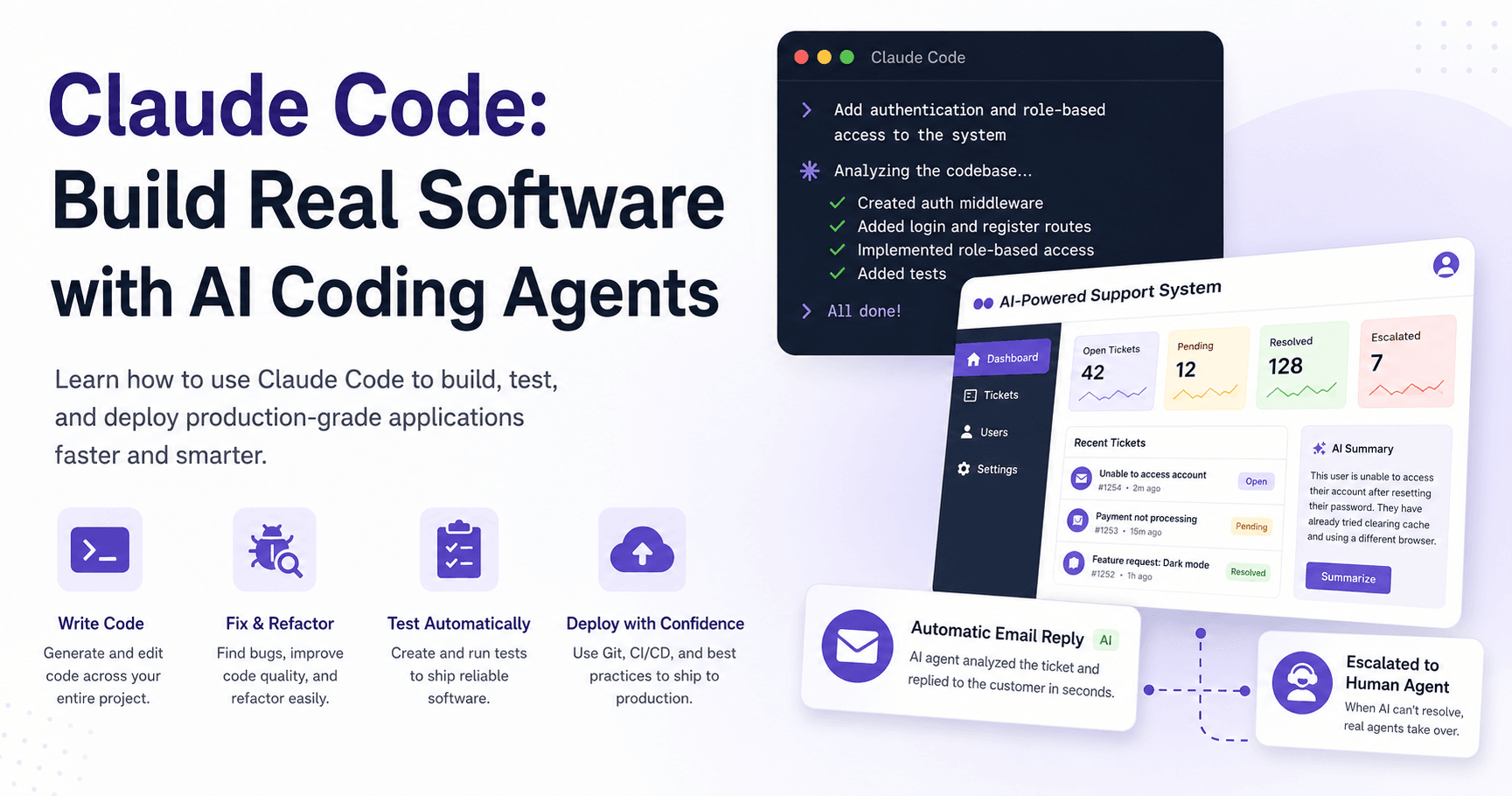

Claude Code is changing the way developers build software. Instead of using AI only as a chat assistant that gives suggestions, Claude Code works as an agentic coding tool. That means it can read files, write code, run commands, fix bugs, refactor projects, execute tests, and even work with Git.
The main idea is simple: developers describe what they want, and Claude Code helps perform the actual work inside the project. But this does not mean software engineering is disappearing. It means the developer’s role is changing.
Instead of spending most of the time writing repetitive code, developers can focus more on architecture, decisions, quality, testing, and product logic.
What Is Claude Code?
Claude Code is a coding agent that runs mainly in the terminal, but it can also be used inside editors like VS Code. Unlike traditional AI assistants, it does not just answer questions. It has access to tools that allow it to take real actions in a codebase.
It can help you:
Understand an existing project
Fix bugs
Refactor messy code
Add new features
Run shell commands
Write and execute tests
Manage Git commits
Work with external tools through MCP
This makes Claude Code useful not only for generating snippets, but for working through real development tasks from start to finish.
Why Claude Code Matters
Many AI coding tools can autocomplete code or suggest solutions. Claude Code goes further because it understands the full project context and can perform multi-step tasks.
For example, instead of asking, “How do I fix this bug?” and manually copying the answer, you can ask Claude Code to inspect the project, find the issue, make the change, and explain what it did.
This saves time, especially on repetitive tasks like building forms, creating CRUD APIs, writing boilerplate, improving UI, or setting up project structure.
But the developer still needs to review the output. Claude Code can move fast, but it can also make mistakes. The best results come when the developer uses AI as a powerful assistant, not as a replacement for engineering judgment.
A Practical Project-Based Approach
The course described in the transcription focuses on building real production-grade software with Claude Code.
The main project is a full-stack AI-powered support ticket system. This is not just a simple demo. It includes real features that a company could use, such as authentication, role-based access control, ticket management, AI summaries, polished agent replies, email integration, and automatic ticket resolution.
The system can receive a customer email, analyze it with AI, send a professional response, and escalate the ticket to a real support agent if needed.
This kind of project shows the true power of AI-assisted development: not just writing small pieces of code, but helping build a complete application.
Engineering Still Matters
One of the strongest ideas from the transcription is that this is not “vibe coding.” The goal is not to let dozens of AI agents build an app while the developer does nothing.
Instead, the developer remains actively involved.
Every line of AI-generated code should be reviewed. Bugs should be identified. Code should be refactored. Features should be tested. The final result should follow solid engineering practices.
This is important because AI can generate code quickly, but speed without quality can create technical debt. Claude Code is most useful when combined with good software engineering habits.
Getting Started with Claude Code
To use Claude Code effectively, you need some basic development experience. The course recommends at least a few months of experience with React, JavaScript, TypeScript, HTML, CSS, components, state, props, hooks, and APIs.
The backend in the course uses Express, but the concepts apply to other backend frameworks as well, including Next.js. The focus is not the specific tool. The focus is the mindset needed to build and ship software with AI.
After installing Claude Code, you can run it from the terminal or inside VS Code. Using it inside a code editor is helpful because you can see the generated files, inspect changes, and review the code more easily.
Claude Code also supports useful commands. You can use shell commands, slash commands, file references, background jobs, and model selection commands directly in your workflow.
Project Memory with Claude.md
One of the most useful features is project memory.
Claude Code can create a special file called Claude.md. This file gives Claude important information about the project, such as commands, architecture, folder structure, conventions, and development patterns.
This matters because every new session needs context. Without project memory, Claude may need to explore the project again or make incorrect assumptions.
A good Claude.md file helps Claude understand the project faster and make better decisions. However, it should stay clean and focused. If the file becomes too large or outdated, it can increase token usage and confuse the model.
Better Prompting Gets Better Results
Prompting is one of the most important skills when using Claude Code.
A weak prompt like “add authentication” is too vague. A better prompt would be something like “add JWT-based authentication to the login endpoint using the existing user model.”
Good prompts are clear, specific, and concise. They give context when needed, reference files when useful, and avoid unnecessary explanations.
When Claude makes a change, the developer should review it carefully. Sometimes Claude fixes a symptom instead of the root problem. In those cases, a follow-up prompt can guide it toward a better solution.
This is where the workflow becomes powerful: prompt, review, correct, refactor, and commit.
Using Plan Mode
Plan mode is useful when adding new features.
Instead of allowing Claude to immediately change files, plan mode asks Claude to analyze the project and propose an implementation plan first. This gives the developer a chance to review the approach before any code is written.
For small changes, this may feel unnecessary. But for larger features, it is extremely useful. It helps avoid messy changes across many files and keeps the developer in control.
A good workflow is to break large features into smaller tasks. This makes the code easier to review and reduces the risk of Claude going in the wrong direction.
Managing Context and Cost
Claude Code works with a context window. This is the information Claude can see at one time, including conversation history, files, project memory, tools, and previous outputs.
If the context becomes too large, quality can drop. Claude may forget details, hallucinate, or produce weaker responses.
To manage this, you can use commands like /compact and /clear.
Use /compact when you want to summarize the current conversation and keep working on related tasks. Use /clear when switching to a completely different task.
Managing context also helps control cost and usage because longer conversations require more tokens. Keeping prompts concise and project memory lean makes Claude Code more efficient.
Extending Claude Code with MCP
MCP stands for Model Context Protocol. It allows Claude Code to connect with external tools and services.
With MCP, Claude can work with services like GitHub, Slack, PostgreSQL, Playwright, Google Drive, Sentry, and many others.
For example, a GitHub MCP server can allow Claude to create issues, open pull requests, and read repositories. A PostgreSQL MCP server can let Claude inspect database tables and run queries. A Playwright MCP server can help with browser automation and testing.
However, more tools are not always better. Every MCP server adds tools to the context window. This can increase usage and make Claude less focused. The best approach is to add only the integrations you actually need.
Final Thoughts
Claude Code is not the end of software engineering. It is the next evolution of developer tooling.
Just like IDEs, autocomplete, CI/CD, and ORMs changed how developers work, AI coding agents are changing the development process again.
The developers who benefit most will not be the ones who blindly trust AI. They will be the ones who understand software fundamentals, review code carefully, manage context, write clear prompts, and use AI to speed up the repetitive parts of development.
Claude Code can help you build faster, but your judgment still matters. The future of software development is not about replacing engineers. It is about giving engineers better tools to turn ideas into real products faster.







Comentarios0
Inicia sesión para comentar.