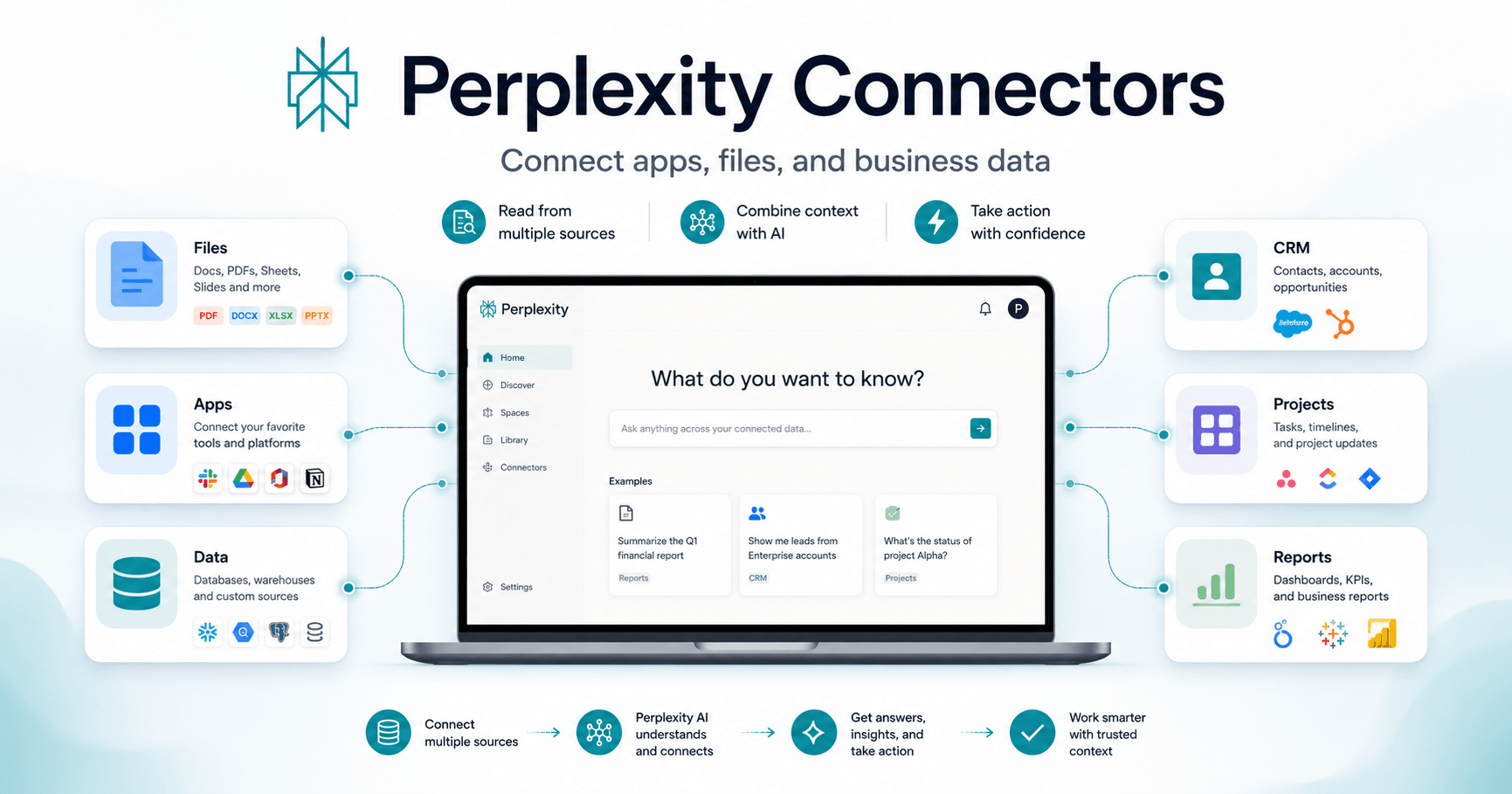

Perplexity Connectors are designed to turn an AI assistant from a simple standalone tool into something much more useful: a teammate that understands how a business actually works.
Instead of depending only on prompts, connectors allow Perplexity to access existing files, apps, and data sources. This means the assistant can use real business context when completing a task, making its answers more accurate, relevant, and practical.
How Connectors Work
To start using connectors, you open the connectors tab and choose the tools Perplexity should access. You can connect multiple tools at the same time, and they stay connected until you remove them.
Once connected, Perplexity can pull information from those apps during a task. For example, you can ask it to check revenue trends in Snowflake and review transactions in QuickBooks. Instead of giving a generic answer, it can use real company data to generate a more useful response.
Why They Are Useful
Connectors are especially powerful for work that depends on business context.
A normal AI assistant may ask several follow-up questions because it does not know where your files are, what your team has decided, or how your company organizes information. With connectors, Perplexity can read from existing documents, apps, and databases to understand the situation better.
This can help with tasks like:
Analyzing financial data
Reviewing customer information
Updating CRM records
Managing project tasks
Combining documents with business data
Creating reports based on internal information
Some connectors can also take action. For example, Perplexity may update contacts in HubSpot or Salesforce, or manage tasks in Jira and Asana.
Working Across Multiple Tools
One of the biggest advantages is that Perplexity can work across several connected platforms in the same conversation.
It can read information from one tool, compare it with data from another, reason over everything together, and then write updates back into selected apps.
This makes it useful for teams that already use many different tools and want AI to help connect the information between them.
Memory and Personalization
Perplexity Computer also has configurable memory. This means it can remember details about a user, their work, and their preferences over time.
Because of this, the assistant can adapt to how a person or team works, reducing the need to repeat the same instructions again and again.
Final Thoughts
Perplexity Connectors make AI more practical for real business workflows.
Instead of acting like a chatbot that only answers questions, Perplexity can understand files, apps, data, and team context. It can research, combine information, generate outputs, and in some cases take action inside the tools teams already use.
For businesses, this means fewer repetitive explanations, fewer back-and-forth questions, and more useful results based on real company information.







Comments0
Please sign in to leave a comment.