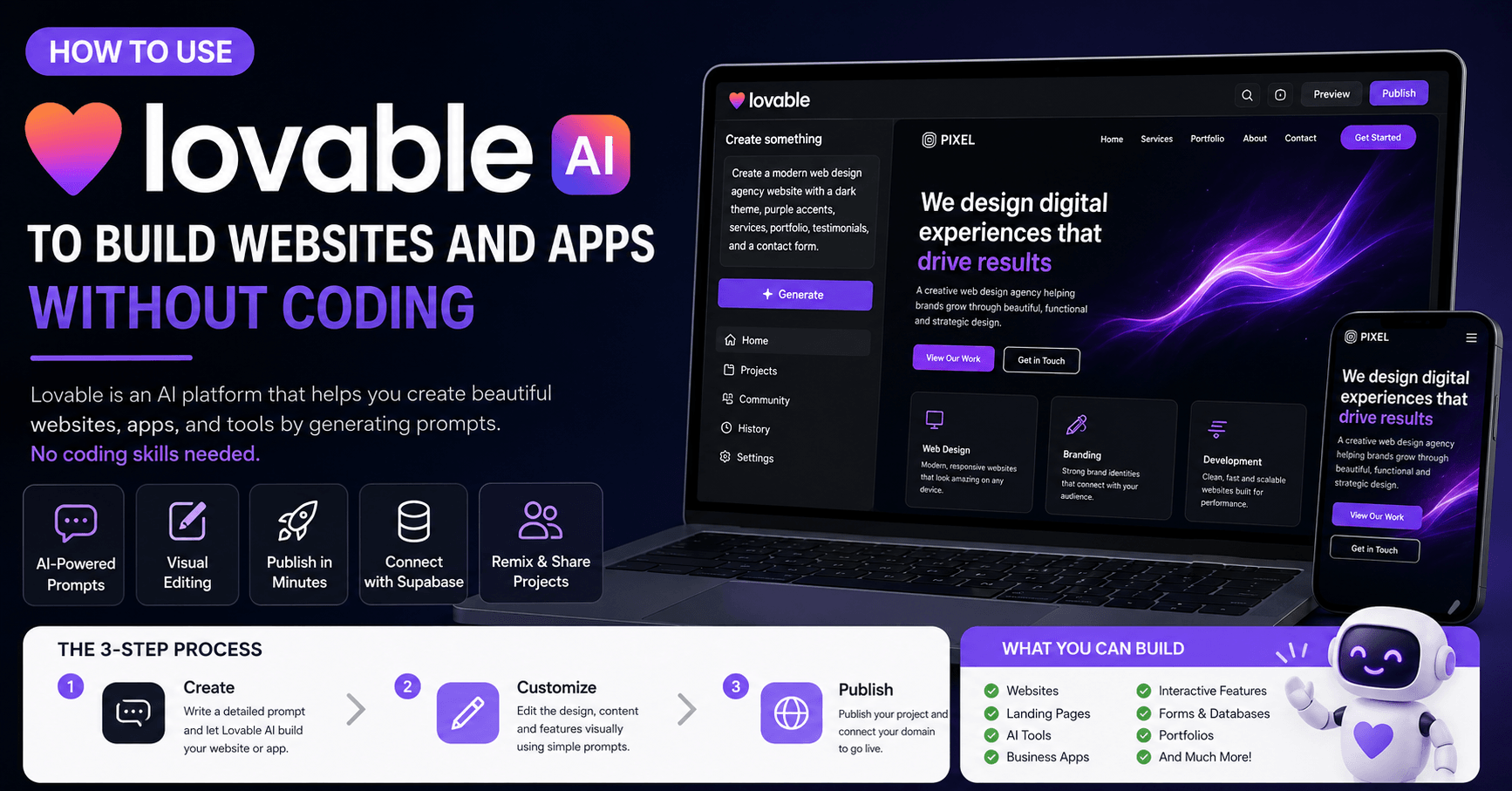

Lovable is an AI platform that helps you create websites, apps, landing pages, and interactive tools by writing prompts. Instead of building everything manually from scratch, you describe what you want, and Lovable generates the structure, design, layout, and functionality for you.
This makes the platform especially useful for beginners, business owners, freelancers, creators, and anyone who wants to build digital products faster without needing advanced coding skills.
In this tutorial-style guide, we will walk through the main ways to use Lovable: creating a basic website, building a functional app, remixing community projects, designing advanced AI websites, and connecting forms to a database with Supabase.
Getting Started with Lovable
To begin, you need to create a free account on Lovable.dev. You can sign up with email, Google, or GitHub. After confirming your account, Lovable asks a few basic questions, such as your name, preferred theme, how you heard about the platform, and what you plan to build.
Lovable can be used for free, but the free version gives you a limited number of daily credits. Each prompt or major action may use credits, so it is important to plan your project carefully before generating too many changes.
Step 1: Create a Basic Website
A good way to start with Lovable is by creating a simple website. In the tutorial, the first example is a web design agency website.
Before sending a prompt directly into Lovable, it is helpful to use ChatGPT to create a more detailed and organized prompt. For example, you can ask ChatGPT:
“Help me create a descriptive and detailed prompt to make a web design agency website using Lovable.”
This gives you a stronger prompt with details like:
The website purpose
Color theme
Font style
Homepage structure
Service sections
Portfolio section
Testimonials
Contact form
Call-to-action buttons
Once you paste that prompt into Lovable, the platform generates a complete website with a landing page, service sections, portfolio filters, testimonials, and a contact form.
The result may not be perfect right away, but it gives you a strong starting point.
Editing the Website Visually
One of the most useful features in Lovable is the visual editor. Instead of rewriting the whole prompt every time, you can click specific parts of the website and ask Lovable to change them.
For example, you can select a button and ask Lovable to change its background color to a purple gradient. You can also edit text, spacing, margin, padding, font size, colors, and other visual elements.
This makes the editing process much easier because you are not only talking to the AI in a general way. You are pointing directly to the element you want to change.
However, you still need to be specific. If you ask Lovable to change a button color, it may change all similar buttons. If you only want one button changed, say that clearly.
Fixing Buttons and Adding Popups
Sometimes Lovable creates a beautiful design, but not every button works automatically. In the tutorial example, the portfolio section had “View Project” buttons that did not open anything.
The solution was simple: ask Lovable to fix it.
A good prompt would be:
“In the portfolio section on the homepage, the View Project buttons do not work. Can you create popups when clicked with more information about each portfolio project?”
Lovable then adds a popup with details like project overview, challenge, solution, technologies, and project information.
This shows an important workflow: if something does not work, explain the problem clearly and ask Lovable to fix that exact section.
Deleting Sections and Using History
Lovable also lets you delete sections visually. If there is a call-to-action area you do not want, you can select it in the editor and remove it.
If you make a mistake, Lovable includes a history feature. Every time you update the website, Lovable saves a version. You can go back to previous versions and restore your project if needed.
This is very helpful because AI tools can sometimes make unexpected changes. With history, you can experiment without worrying too much about breaking everything.
Publishing the Website
Once the website looks good, you can publish it directly from Lovable. The platform gives you a live preview link, and you can also connect a custom domain if you want to use your own website address.
This means you can go from idea to published website in a short amount of time.
Step 2: Build a Functional App
Lovable is not limited to static websites. You can also create simple apps.
In the tutorial, the second example is an email generator for web design agencies. The idea is to build a tool that helps agencies generate outreach emails for potential clients.
The app asks for information such as:
Business type
Location
Email tone
Unique selling points
Agency name
Then it generates a ready-to-use outreach email that can be copied and sent to leads.
This is a practical example because it shows how Lovable can create something that is not just a website, but a useful business tool.
You can also ask Lovable to add templates for different industries, such as restaurants, law firms, e-commerce brands, or real estate businesses. If you want more templates, you can simply ask the AI to generate 50, 100, or 200 new examples.
Using the Workspace and Remix Feature
Lovable has a workspace where all your projects are saved. You can choose whether your projects are public or private.
If a project is public, other users can remix it. Remixing means someone can create a copy of your project and modify it in their own workspace. It does not change your original work.
You can also remix projects from the Lovable community. This is useful if you find a design you like and want to adapt it for your own idea.
For example, you can remix a landing page and then ask Lovable:
“Change the color scheme to a pink and black gradient and make it retro style.”
In a few moments, Lovable transforms the design into a new visual style.
This community remix feature is powerful because it helps users learn from each other and build faster using existing designs as a starting point.
Creating More Advanced Designs
Lovable can also generate complex websites with advanced animations and creative layouts.
The tutorial shows an example of using a detailed prompt to create a futuristic design with cosmic parallax effects, glassmorphic cards, animated sections, interactive cursor effects, and dynamic visual elements.
This type of website would normally require a skilled designer and developer, but Lovable can create a working version from a detailed prompt.
A helpful strategy is to create one advanced prompt and then ask ChatGPT to generate variations of it, such as:
Modern and bold
Minimal and clean
Corporate
Retro
Futuristic
Classic
This allows you to adapt one idea to different brands, industries, or design styles.
Connecting a Database with Supabase
For websites that collect user information, you need a database. Lovable integrates with Supabase, which can store form submissions, booking requests, user data, and other information.
In the tutorial, the contact form is connected to Supabase. After connecting the project, Lovable can create the needed database tables automatically.
Then, when someone fills out the contact form, the information is sent to Supabase. You can view the submitted name, email, budget, message, and other details inside the Supabase table editor.
This turns a simple AI-generated website into a functional business website with real data collection.
You can use the same idea for contact forms, booking forms, lead forms, application forms, customer requests, and more.
Final Thoughts
Lovable is becoming a powerful tool for building websites and apps with AI. A few years ago, AI-generated websites often looked basic or unfinished. Now, platforms like Lovable can create polished landing pages, interactive apps, advanced animations, editable layouts, and database-connected forms.
The best way to use Lovable is to start simple. Create one page or one feature first. Then edit it, test it, improve it, and only after that add more advanced functionality.
For beginners, Lovable makes web creation easier. For freelancers and agencies, it can speed up client work. For business owners, it can help turn ideas into real websites and tools without needing a full development team.
With good prompts, clear instructions, and a step-by-step workflow, Lovable can help you build professional websites and apps much faster than traditional methods.







Comments0
Please sign in to leave a comment.