
Research can quickly become overwhelming. You open dozens of tabs, read different articles, compare sources, take notes, organize ideas, and still feel like the final report is not clear enough.
That is exactly where Kimi Research Agent can be useful.
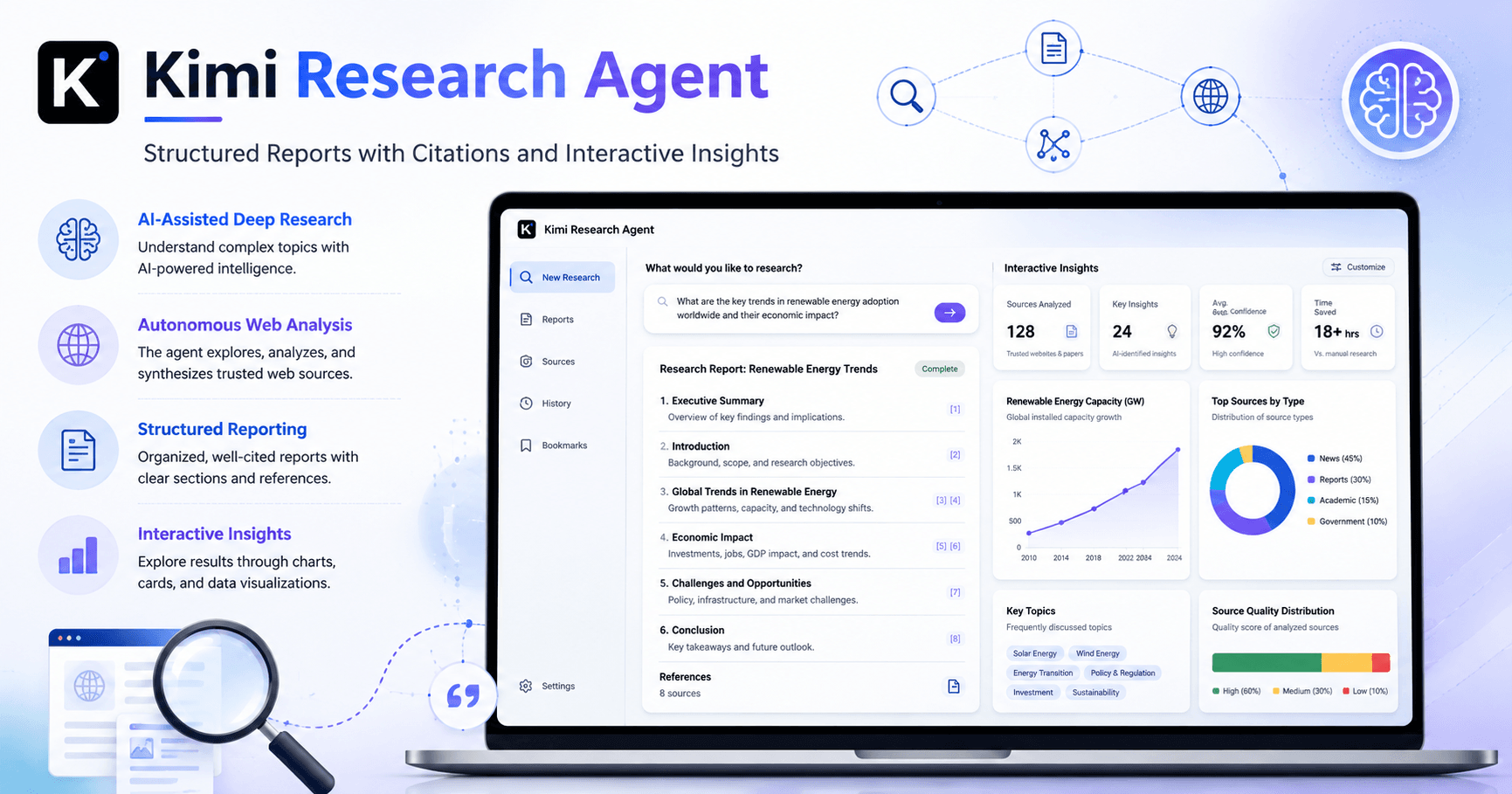
Kimi Research Agent is a feature from Moonshot AI’s Kimi platform designed to help users research complex topics faster. Instead of manually browsing many pages and trying to organize everything alone, you can give Kimi a topic and let the agent investigate, reason through the information, and generate a structured report with citations.
It is not just a basic chatbot answer. The tool works more like an autonomous research assistant.
What is Kimi Research Agent?
Kimi Research Agent is an AI research tool available inside Kimi AI. It can search the web, analyze information, ask follow-up questions, and generate a complete report based on your research goal.
According to the tutorial, the agent can perform many reasoning steps, scan multiple web pages, and organize the final information into a clean report with sources.
This makes it useful for people who need to understand a topic quickly, such as students, writers, researchers, creators, business professionals, and anyone working with complex information.
Instead of asking a simple question and receiving a short answer, you can use Kimi Research Agent to create a deeper research document.
How to access Kimi Research Agent
To start, go to kimi.com and log into your account.
After logging in, look at the sidebar and select the Researchers or Research option. This is where you can start a new research task.
The process is simple. You only need to enter the topic you want to investigate.
For example, the tutorial uses the topic:
Impact of AI agents in scientific discovery in 2026
After entering the topic, you press the send button and Kimi begins the research process.
Kimi asks follow-up questions
One interesting part of Kimi Research Agent is that it does not immediately generate a generic report.
First, it asks specific questions to better understand what you want.
For example, it may ask about your interests, the field you want to focus on, the type of information you need, or the angle of the report.
This is important because the same topic can be researched in different ways.
For example, “AI agents in scientific discovery” could focus on medicine, biology, physics, chemistry, climate science, academic research, automation, or business impact.
By answering the follow-up questions, you guide the agent and make the final report more relevant.
The research runs in the background
After you answer the questions, Kimi starts the research process.
This can take some time because the agent is not only writing text. It is searching, reading, comparing information, organizing points, and building a structured answer.
The good part is that you do not need to stay frozen on the page waiting. The tool can continue working while you do other tasks.
When the research is complete, Kimi shows the searches it performed and the sources it used to build the final result.
This gives more transparency than a simple AI response, because you can see where the information came from and how the report was created.
The final report
Once the research is finished, Kimi generates a complete report.
The report is structured, organized, and includes citations. This is very useful because citations help you verify information and understand which sources support each part of the content.
You can use this report as a starting point for:
Articles
School assignments
Business research
Market analysis
YouTube scripts
LinkedIn posts
Technical summaries
Study materials
Internal company documents
You can also copy the report or download it using the download button.
This makes the tool practical, especially for people who need research results in a format that can be reused later.
The best feature: interactive reports
The most interesting part of the tutorial is that Kimi does not only generate a normal text report.
It can also create an interactive report.
This interactive version is more visual and engaging. Instead of being only a long text document, it can include cards, sections, visual layouts, analytics-style blocks, and citations.
This makes the report easier and more pleasant to read.
A traditional report can sometimes feel heavy, especially when the topic is complex. But an interactive report can present the same information in a more modern and visual way.
For creators, educators, marketers, and researchers, this is a very useful feature because the final result looks more like a professional web page than a plain document.
Why interactive reports are useful
Interactive reports are useful because they make information easier to explore.
Instead of scrolling through a simple block of text, readers can see the content divided into visual sections. Important insights can appear in cards, data can be organized more clearly, and citations can be included in context.
This is especially helpful for topics that involve trends, comparisons, predictions, or analysis.
For example, if you are researching AI agents in scientific discovery, an interactive report could separate the content into areas like:
Key trends
Scientific fields affected
Main benefits
Risks and limitations
Important examples
Future predictions
Source references
This makes the final report more useful and easier to present.
How to save the interactive report
In the tutorial, the interactive report does not appear to have a direct download button like the normal report.
However, Kimi provides access to the report’s code.
You can click the code button, copy the HTML code, and paste it into an editor such as VS Code.
The process works like this:
Open the interactive report preview
Click the button to view the code
Copy the HTML code
Open a code editor such as VS Code
Create a new file
Name it something like
report-ai.htmlPaste the HTML code into the file
Save it
Open the file in your browser
After doing this, you can view the interactive report locally in your browser.
This is a great bonus because it means you can keep a visual version of the research, share it, edit it, or use it as a base for a more polished project.
Who should use Kimi Research Agent?
Kimi Research Agent is useful for anyone who works with information.
Students can use it to understand academic topics faster. Writers can use it to prepare articles. Content creators can use it to research video topics. Business professionals can use it to analyze markets, competitors, technologies, and trends.
It is also useful for developers, startup founders, educators, and researchers who need to explore a subject from multiple angles.
The biggest advantage is speed. Instead of manually searching and organizing everything from scratch, Kimi gives you a structured starting point.
Of course, the final result should still be reviewed. AI research tools are powerful, but they are not perfect. You should always check important facts, review citations, and adjust the final text according to your own goal.
Final thoughts
Kimi Research Agent is a strong tool for anyone dealing with research overload.
It helps transform a simple topic into a structured report with sources, citations, and clear organization. The process is easy: choose the research feature, enter your topic, answer a few follow-up questions, wait for the agent to complete the research, and then copy or download the result.
The interactive report feature makes Kimi even more interesting. It turns research into a visual experience, with cards, sections, citations, and a layout that feels more engaging than a normal text document.
For people who need fast, organized, and visually useful research, Kimi Research Agent is definitely a tool worth testing.







Comentários0
Faça login para comentar.