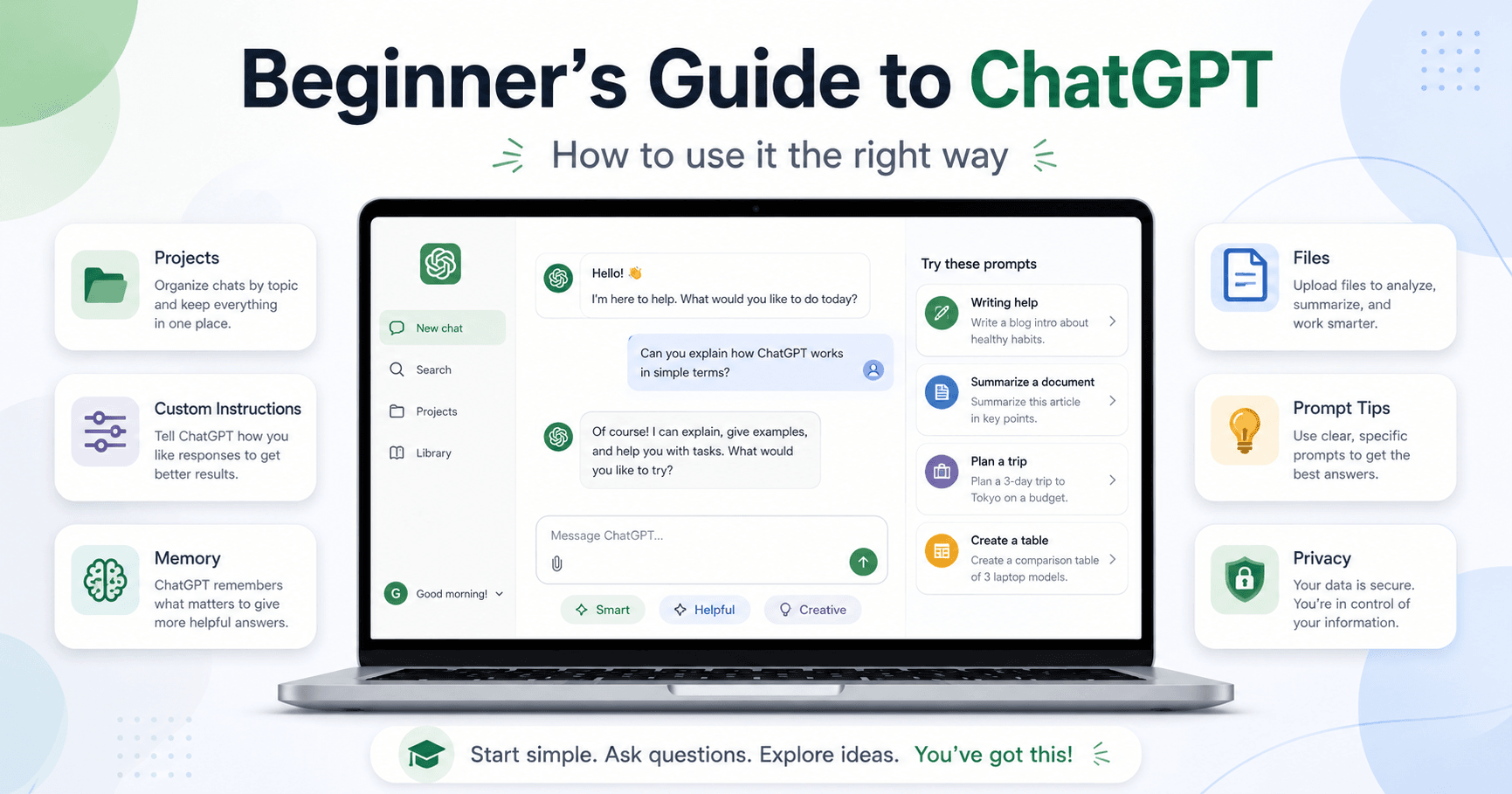

ChatGPT can seem confusing at first. There are plans, models, privacy settings, memory, projects, files, images, Canvas, and many ways to write prompts. But you do not need advanced commands to use it well. The real skill is learning how to explain what you want clearly.
Which ChatGPT Plan Should You Choose?
ChatGPT has Free, Plus, Pro, Business, and Enterprise plans. For beginners, the main choice is usually between Free and Plus.
The Free plan is enough to start. You can ask questions, summarize texts, generate ideas, and learn how the tool works. The Plus plan, around $20 per month, is better if you use AI often because it gives you more access, more messages, and extra tools. The Pro plan is made for heavy users and is usually unnecessary for beginners.
Start free. If you reach limits often or use ChatGPT daily for work, study, or content creation, then consider Plus.
Set Up Your Account First
Before using ChatGPT seriously, adjust your settings.
Start with privacy. You can control whether your conversations may be used to improve the models. If you do not want your content used for training, turn that option off.
You can also use temporary chat. It works like incognito mode: the chat is not saved in history, does not feed memory, and is not used to train the model.
Another important feature is custom instructions. This lets you tell ChatGPT who you are, what kind of answers you prefer, and what rules it should follow, such as short answers, simple language, or a casual tone.
Use Memory with Control
Memory helps ChatGPT remember useful information from past conversations. If you use ChatGPT for fitness, it can remember your goals. If you use it for content, it can remember your style. If you use it for business, it can remember details about your project.
Still, memory should be managed. You can review what ChatGPT remembers, delete specific memories, or clear everything.
Choose the Right Model
You do not always need the most advanced model.
For simple questions, quick ideas, translations, emails, messages, and everyday tasks, the automatic or instant mode is usually enough.
For tasks that require logic, math, coding, document analysis, or detailed planning, use a reasoning model.
A simple rule: if the task needs step-by-step thinking, use reasoning. If it is quick and simple, keep it simple.
Use Projects to Stay Organized
Projects are one of the most useful ChatGPT features. They work like folders for different topics.
You can create a project for work, studies, health, business, content creation, investments, or any other area. Inside each project, you can add files, set custom instructions, and keep the context focused.
Projects prevent everything from getting mixed together. Instead of starting random new chats, you can keep each topic in its own space.
Talk Naturally
You do not need to sound technical. In most situations, talk to ChatGPT like you are messaging a helpful person on Slack or WhatsApp.
Example:
“I have 2 hours to cook dinner tonight. I want something simple but impressive for my family. What can I make?”
That is enough context to get a useful answer. The secret is not complicated wording. The secret is clarity.
Ask Direct Questions
Vague questions usually create vague answers.
Instead of asking “Tell me about baking,” ask “What are the 5 main steps to baking a sourdough loaf at home?”
The second prompt is better because it gives a clear topic and a clear expected result. Whenever possible, include the topic, goal, format, and level of detail you want.
Give Context and Format
The more useful context you provide, the better the answer tends to be.
A strong prompt can tell ChatGPT what role to play, who the answer is for, what style you want, what to avoid, and what format to use.
Example:
“Act as a travel guide. Plan a 3-day trip to New York for a family with children under 10. We do not want museums. We like parks, food, and unusual activities. Show it in a table by day.”
This works because it includes the role, audience, preferences, restrictions, and output format.
You can ask for tables, lists, JSON, scripts, summaries, checklists, outlines, or any other format.
Show Good and Bad Examples
If you want a specific style, show examples.
For titles, hooks, scripts, ads, posts, or articles, give ChatGPT one example you like and one you do not like. Explain why the good one works and why the bad one should be avoided.
This helps ChatGPT understand the pattern you want instead of guessing.
Improve the First Answer
The first answer is not always the best one. ChatGPT often gets better when you give feedback.
You can say things like: “Make it more direct,” “Make it sound more natural,” “Reduce it to under 100 words,” “Make it more energetic,” “Rewrite it with a professional tone,” or “Create a simpler version.”
Instead of accepting the first output, guide the tool until the answer fits what you need.
Break Big Tasks into Steps
Large tasks usually work better when divided into stages.
Example:
“Let’s create a script in 3 stages. First, make the brief. Then create the outline. Finally, write the full script. Start only with stage 1.”
This keeps the process organized and gives you a chance to correct the direction before the final version. It works well for scripts, marketing plans, articles, presentations, sales pages, business strategies, and long projects.
Ask for Assumptions
If you are not sure whether you gave enough information, ask ChatGPT to list its assumptions first.
Example:
“I want to create a marketing plan for a small coffee shop. Before creating the plan, list the assumptions you are making about location, budget, audience, and business size.”
Then you can correct anything that is wrong. This gives ChatGPT a better starting point.
Ask ChatGPT to Ask You Questions
Another useful technique is to let ChatGPT interview you before answering.
Example:
“I want to start an online business. Ask me 5 questions to better understand my profile before suggesting ideas.”
After you answer, the suggestions become much more personalized. This works for business, career, studies, health, content creation, finance, and planning.
Verify Important Facts
ChatGPT can make mistakes. It can invent details, use outdated information, or answer confidently even when it is wrong.
Always check important facts, especially if you will use them in videos, articles, presentations, business decisions, financial decisions, health topics, or legal topics.
If ChatGPT provides sources, open them and check whether they are reliable and current.
Use Files, Images, and Canvas
Uploading files is one of the best ways to use ChatGPT. You can send PDFs, articles, spreadsheets, reports, or long documents and ask for summaries, explanations, insights, or questions.
Example:
“Summarize this PDF into 5 key points and cite the pages.”
You can also ask: “Explain this document as if I were a beginner.”
Images are useful too. ChatGPT can read screenshots, identify text, analyze screens, and interpret visual information. It can still make mistakes with counting or small details, so always review important results.
Canvas helps you work with text or code in an editable space inside ChatGPT. It is useful for articles, scripts, emails, posts, and code. You can expand sections, shorten text, change the reading level, polish the writing, or edit only a specific paragraph.
Use ChatGPT to Create Better Prompts
You can also ask ChatGPT to create prompts for you.
Example:
“I want to build a work-from-home business. Create prompts I can use in ChatGPT to find ideas, validate demand, build an offer, and create an execution plan.”
This is useful because ChatGPT can suggest better questions than you might think of alone.
Useful Prompts for Beginners
You can ask ChatGPT to rewrite emails, summarize articles, explain topics for beginners, create post ideas, turn text into tables, write scripts, edit your text, analyze spreadsheets, translate while keeping the same tone, or compare products.
These examples show how ChatGPT can help with everyday work, learning, writing, research, planning, and creativity.
Conclusion
ChatGPT becomes much more useful when you learn how to communicate with it clearly.
You do not need to be a prompt engineering expert. You only need to speak naturally, be specific, give context, choose the format you want, and review the answer.
Use projects to organize topics, memory when it helps, files for deeper analysis, Canvas for editing, and fact-checking for important information.
The more you practice, the better your results become. ChatGPT is not a magic tool that knows everything. It is a powerful assistant that needs direction. When you learn how to explain what you want, it becomes a real tool for productivity, learning, creativity, and work.







Comentários0
Faça login para comentar.