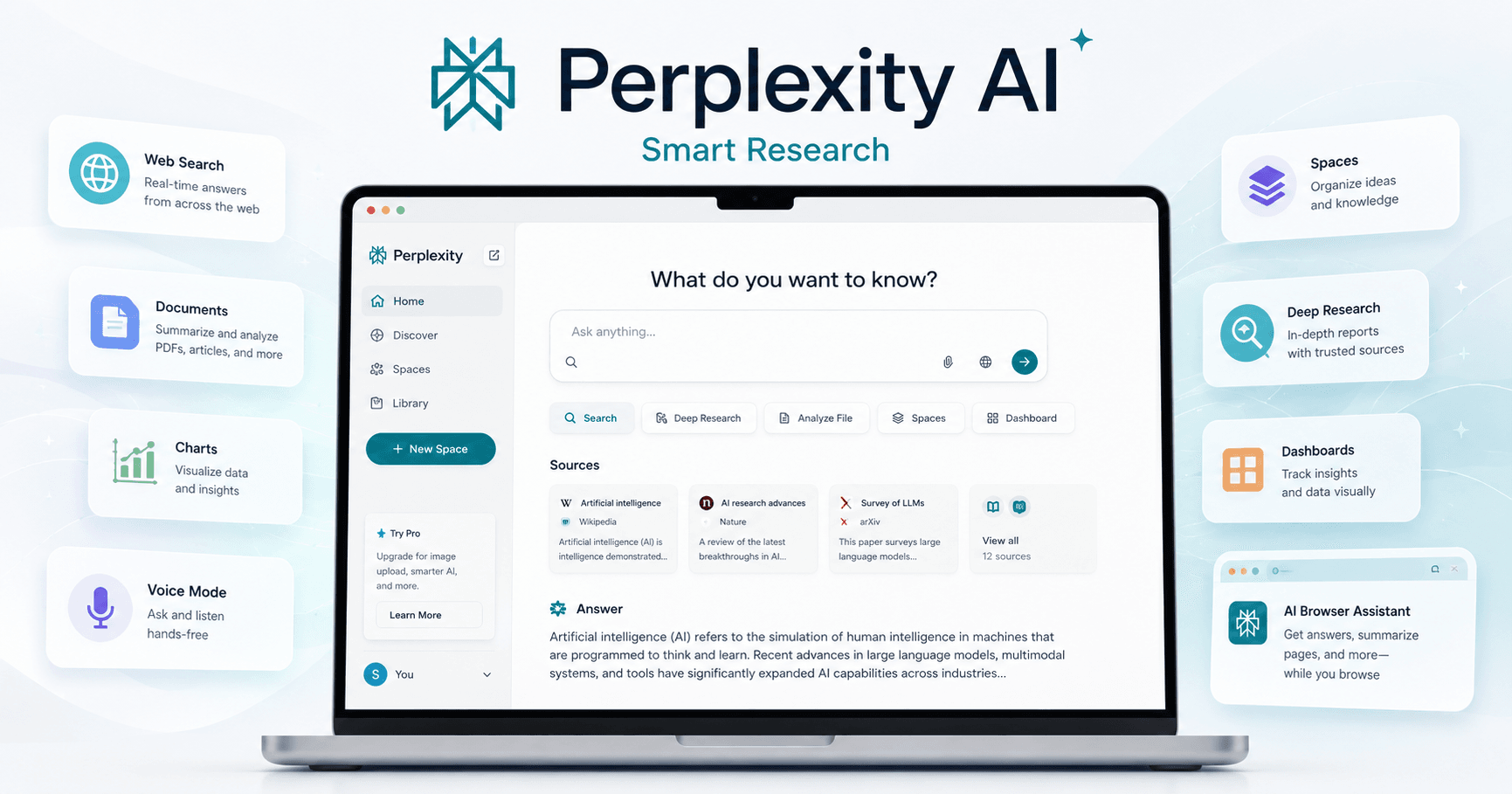

Perplexity AI is more than a simple AI search engine. It can help with research, writing, coding, academic studies, market analysis, file review, news discovery, and even content creation.
The main difference between Perplexity and a traditional search engine is that Perplexity does much of the research work for you. Instead of only showing links, it searches across sources, reads information, summarizes the most important points, and shows where the information came from.
This makes it especially useful when you want fast answers, but still need sources and context.
Getting Started with Perplexity
When you first open Perplexity, the interface looks simple. You have a search box, a Pro toggle, focus options, and access to your previous conversations.
Using it feels similar to searching on Google, but the result is different. You can ask a complete question in natural language, and Perplexity will understand what to search for.
For example, instead of typing:
“Top 3D printing products 2024”
You can ask:
“Research the latest 3D print products that I can quickly create and sell on Etsy.”
Perplexity will search different sources, organize the answer, and give you product ideas, market insights, tips, and citations.
Perplexity Pro
The Pro plan gives access to more advanced features.
With Perplexity Pro, users get unlimited Pro Search, more file uploads, access to stronger AI models, and the ability to use tools like Claude and ChatGPT-style models inside one platform.
This is useful because you do not need to keep switching between multiple AI subscriptions. Perplexity brings different models together and uses them depending on the task.
The Pro plan is especially valuable for people who use AI every day for research, content, business, coding, or productivity.
Settings and Custom Instructions
Perplexity also includes useful settings.
You can change the theme, language, avatar, username, default AI model, and image generation model. You can also manage data retention if you do not want Perplexity to keep your searches.
One important feature is custom instructions.
With custom instructions, you can tell Perplexity more about yourself, your work, or your preferences. This helps the tool respond with better context.
For example, if you work with marketing, you can tell Perplexity to focus on business examples, practical use cases, and simple explanations.
This makes the answers more personalized and useful.
Focus Modes
One of the most powerful parts of Perplexity is the Focus feature.
Focus modes let you choose what type of source or task Perplexity should prioritize.
The main options include:
Web
Academic
Math
Writing
Video
Social
Each mode changes how Perplexity searches and responds.
If you choose Web, it searches the general internet. If you choose Academic, it focuses on scientific papers and reliable academic sources. If you choose Social, it looks at platforms like Reddit to understand what people are discussing. If you choose Video, it can use video content and transcripts.
This makes Perplexity much more flexible than a normal search engine.
Better Prompting with Step-by-Step Tasks
One useful technique is breaking your prompt into steps.
Instead of asking one broad question, you can tell Perplexity exactly how to think through the task.
For example:
Research trending 3D printing markets
Rank the markets from best to worst
Select three products for each market
Criticize the final answer
Give the best product recommendation
This creates a better response because Perplexity follows a clear process. It researches, ranks, evaluates, and then gives a final recommendation.
This works well for business ideas, product research, content planning, coding tasks, and decision-making.
Academic Research
For serious research, the Academic focus mode is very useful.
Instead of searching random websites, Perplexity can look at sources like PubMed, scientific papers, and academic databases.
This is helpful for school assignments, health topics, science research, and any subject where credibility matters.
For example, you can ask:
“What are the leading causes of Alzheimer’s disease?”
Then you can ask a more practical follow-up:
“What are the top lifestyle factors people can control?”
Perplexity can use scientific sources to explain risk factors, lifestyle habits, diet, physical activity, and other relevant points.
The benefit is that you can start with academic research and then turn it into practical information.
Math Mode
Perplexity also has a Math focus mode.
This can be used for conversions, calculations, and more complex math questions. For example, you can ask it to convert euros to dollars using current exchange rates, or solve a more advanced equation.
In some cases, it can also use tools like Wolfram Alpha to walk through a solution step by step.
This is useful when you need both the result and the explanation behind it.
Writing Mode
Writing mode is designed for creating text.
You can use it to write emails, templates, articles, outlines, summaries, business messages, and other types of content.
For example, you can ask:
“Write an email template for onboarding new customers to my ad agency.”
However, writing mode works best when you give enough context. If the task depends on specific business details, you should explain what your company does, who the customer is, and what information you need.
A strong workflow is to first use Web mode to research what should be included, then switch to Writing mode to create the final text.
This gives you a better result because the writing is based on actual research.
Video Research
The Video focus mode lets Perplexity search through video content.
For example, if you ask how to make chicken parmesan, Perplexity can search YouTube videos, read transcripts, and summarize the best instructions from multiple videos.
This is helpful because you do not need to watch several videos manually. Perplexity can pull the ingredients, steps, and useful tips into one organized answer.
You can also ask follow-up questions, such as:
“What can I add to make this recipe more unique?”
Then Perplexity can suggest creative ideas based on what it found in the video sources.
Social Research
Social mode is useful for market research.
Instead of only looking at official websites or articles, Perplexity can search discussions from platforms like Reddit and Quora.
This helps you understand what real people are saying about a product, tool, trend, or problem.
For example, you can ask:
“Give me the top 10 consumer-focused AI tools on the market right now.”
Perplexity can look at social discussions and show which tools people are actually using and talking about.
This is valuable for creators, marketers, entrepreneurs, and anyone researching consumer behavior.
Coding with Perplexity
Perplexity can also help with coding.
You can ask it to create a simple website using HTML, CSS, and JavaScript. It can generate the files, explain how to run them, and help you improve the project step by step.
For example, you can ask:
“Create a website with homepage, about, services, and contact pages using HTML, CSS, and JavaScript. Tell me how to run and edit it.”
Perplexity can generate code snippets and explain where each file should go.
You can then ask follow-up prompts like:
“Research good UI and improve the design.”
“Make the page responsive.”
“Add dummy text and images.”
“Make the menu links work.”
This makes it useful not only for writing code, but also for learning how code works.
Discover Page
Perplexity also has a Discover page.
This section shows curated stories, news, and interesting topics created from different sources. It can be useful when you want to discover new subjects or research something that is trending.
You can open a story, read the summary, check sources, and ask follow-up questions.
For example, if you see a strange scientific story, you can ask:
“Is this possible for humans?”
Perplexity will research the topic and explain the answer with nuance.
This makes Discover useful for fact-checking, learning, and exploring news more deeply.
Pages and Publishing
Perplexity can also turn research into a shareable page.
After creating an answer or researching a topic, you can convert it into a page. Perplexity will organize the content into sections, add structure, suggest topics, and allow you to include media.
You can preview the page and publish it if you want to share it with others.
This is useful for creating simple articles, research summaries, educational content, and public explanations.
Library and Collections
The Library tab stores your previous threads and pages.
This helps you keep track of your research. You can revisit old conversations, organize threads into collections, and share a group of AI queries with someone else.
For people who use Perplexity often, the Library becomes a useful research archive.
Final Thoughts
Perplexity AI is a powerful tool because it combines search, AI reasoning, source citations, writing, coding, academic research, social listening, video research, and publishing.
Its biggest strength is that it does the research process on your behalf. It can create search queries, read sources, summarize information, and help you ask better follow-up questions.
For quick questions, it works like a smarter search engine. For deeper work, it becomes a research assistant that can help you write, code, analyze, organize, and publish information.







Komentar0
Silakan masuk untuk meninggalkan komentar.