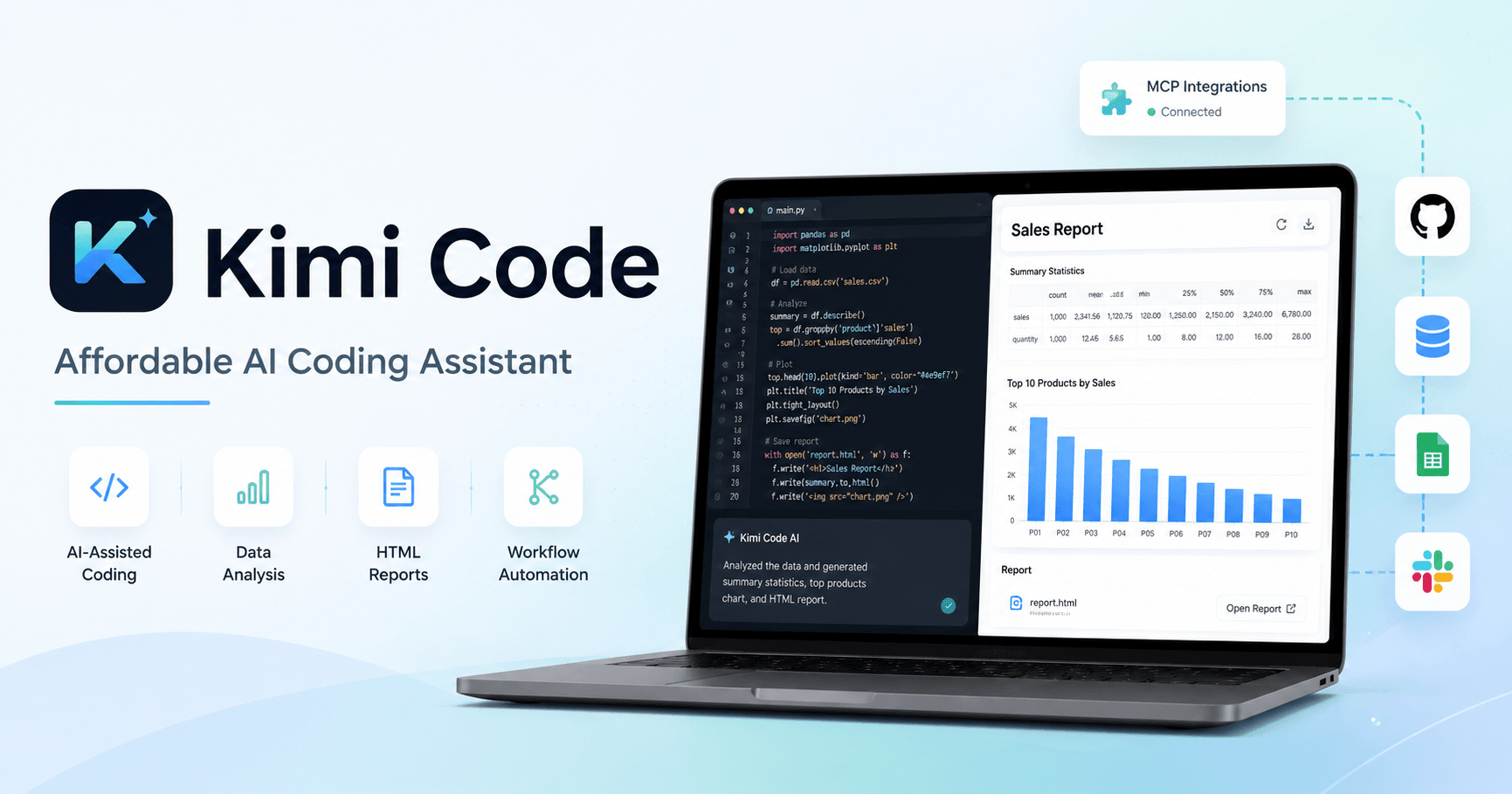

AI coding tools are becoming a normal part of modern work. They can write code, analyze files, build reports, redesign pages, and automate repetitive tasks. Claude Code is one of the most popular options, but it can be expensive for people who use it heavily. Kimi Code appears as a strong alternative because it offers many similar features at a much lower cost.
The main appeal of Kimi Code is simple: it gives users access to a powerful coding assistant without requiring a high monthly budget. In the transcript, the creator highlights that Kimi Code can be almost 90% cheaper than Claude Code, especially when comparing token costs and subscription prices. For users who want an AI assistant for coding, data analysis, SEO work, reports, and automation, this price difference can be a major advantage.
What Is Kimi Code?
Kimi Code is an AI coding and work assistant created by Moonshot AI. It can run through the terminal, work with files on your computer, analyze data, create HTML reports, use skills, and connect with MCPs. Even though it is called a coding tool, it can be useful far beyond programming.
You can use it to understand reports, summarize data, create workflows, generate visual pages, perform keyword research, and even build reusable automations. This makes Kimi Code more like a general work assistant than just a code generator.
Getting Started With Kimi Code
To use Kimi Code, you need either an API key or a subscription. The API key works on a pay-as-you-go model, where you pay based on usage. The subscription gives you a quota, which can be more comfortable if you use the tool often and do not want to constantly think about token costs.
The installation process is simple. The official page provides a command for Mac, Linux, or Windows. You copy the command, paste it into your terminal, and follow the setup instructions. After installation, Kimi Code asks how you want to log in: with your Kimi account, subscription, or API key.
Once logged in, you can start using it directly from the terminal. A simple prompt like “Hey” is enough to begin a conversation and confirm that everything is working.
Using Kimi Code for Data Analysis
One of the most useful demonstrations in the transcript is analyzing Google Analytics data. The creator downloads CSV reports from Google Analytics 4, drags them into the working folder, and asks Kimi Code to analyze the report.
Instead of manually digging through spreadsheets, Kimi Code reviews the data and provides useful insights. It can identify traffic sources, returning user patterns, content opportunities, conversion events, and areas that need improvement.
This is where Kimi Code becomes valuable for non-developers too. You do not need to be a programmer to benefit from it. If you work with marketing, SEO, content, analytics, or business reports, you can use Kimi Code to understand data faster and make better decisions.
Turning Reports Into Interactive HTML Pages
After analyzing the Google Analytics report, Kimi Code can also transform the results into an interactive HTML report. This is useful when you need to share insights with a team, a client, or simply want a cleaner way to review the information.
The first version may look like a basic AI-generated page, but it still gives you a structured report with sections, priorities, and recommendations. The real improvement comes when you start using skills.
What Are Skills in Kimi Code?
Skills are one of the most powerful parts of Kimi Code. A skill is basically a set of instructions or a standard operating procedure that teaches the AI how to perform a specific type of task.
For example, you can use a front-end design skill to make HTML elements look more modern and professional. Instead of accepting a basic report design, you can ask Kimi Code to redesign the page using that skill.
The result is a cleaner, more polished, and more interactive report. This is useful for dashboards, client presentations, internal reports, landing pages, and other visual outputs.
How to Install Skills
Installing a skill is simple. First, you download the skill file, usually as a ZIP file. Then, inside Kimi Code, you can use the skills command to check which skills are installed.
After that, you drag the downloaded ZIP file into the session and ask Kimi Code to inspect and install it. The model can handle much of the setup for you. Once the skill is installed, you may need to restart Kimi Code so it can recognize the new skill.
A good security practice is to only install skills from trusted sources. Since skills can contain instructions or code, downloading them from unknown places can be risky.
Kimi Web: A Better Interface for Kimi Code
For people who do not like working directly in the terminal, Kimi Code also offers a web interface called Kimi Web. This gives you a cleaner and more familiar chatbot-style experience while still running locally through your computer.
The web interface makes it easier to manage sessions, add files, copy outputs, download reports, and continue previous work. It also feels more comfortable for users who are not used to terminal-based tools.
This is a major advantage because many people avoid coding assistants simply because the terminal looks intimidating. Kimi Web makes the experience more approachable while keeping the power of Kimi Code available.
Using Kimi Code With MCPs
The transcript also shows how Kimi Code can work with MCPs. MCPs allow AI tools to connect with external systems, data sources, and workflows. In the example, the creator uses an SEO-related MCP to help with keyword research for AI tools.
Instead of manually opening an SEO platform and collecting keyword ideas, Kimi Code can generate a keyword research report in minutes. This makes it useful for marketers, SEO professionals, content creators, and business owners.
With the right MCPs and skills, Kimi Code can become a personalized assistant for repeated professional workflows.
Why Kimi Code Is Useful Beyond Coding
Although Kimi Code is built for coding, the best way to think about it is as a work automation tool. It can help with:
analyzing CSV files
creating reports
designing HTML pages
improving front-end layouts
performing keyword research
working with MCPs
creating reusable skills
automating repeated workflows
supporting SEO and content tasks
This makes it especially interesting for people who want AI assistance but do not want to pay a high monthly price for more expensive coding tools.
Final Thoughts
Kimi Code is a strong option for users who want an affordable AI coding and work assistant. It may not completely replace Claude Code for every advanced use case, but it offers a very competitive experience at a much lower cost.
The most important lesson is that Kimi Code becomes more powerful the more you use it. Start with simple tasks, such as analyzing a file or generating a report. Then, as you become more comfortable, create skills for workflows you repeat often.
For developers, marketers, SEO professionals, content creators, and data-focused teams, Kimi Code can be more than a coding tool. It can become a practical assistant for everyday work.







Komentar0
Silakan masuk untuk meninggalkan komentar.