
When we use artificial intelligence in real applications, we often want the model to do more than answer questions.
We want it to access data, consult services, perform actions, and work with external information such as GitHub, Google Drive, databases, internal tools, company systems, and APIs.
The problem is that connecting all of this manually takes a lot of work.
This is where MCP comes in.
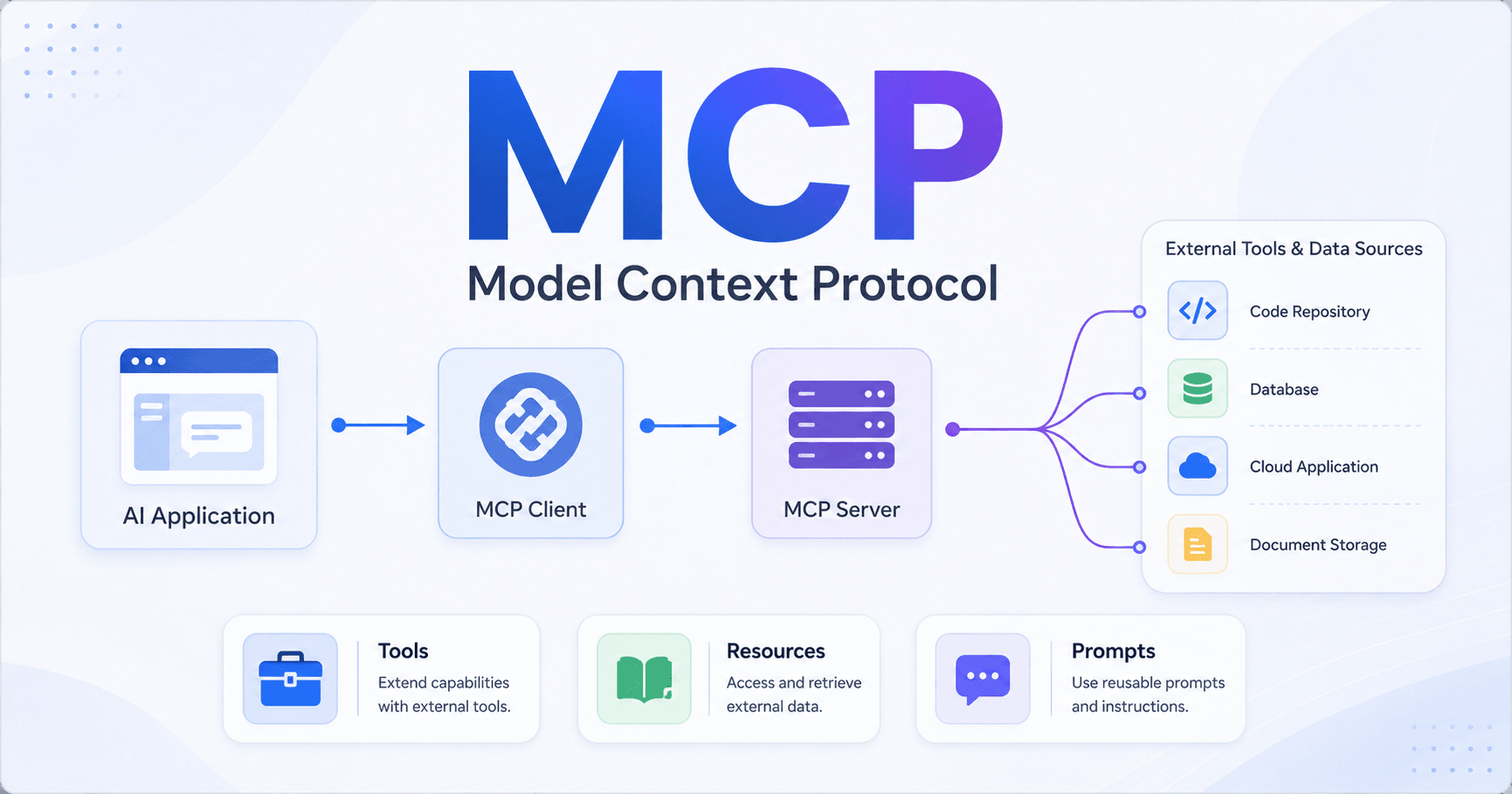
MCP stands for Model Context Protocol. It works as a communication layer between artificial intelligence and external tools. Instead of creating every integration from scratch, MCP allows specialized servers to provide ready-to-use tools, resources, and prompts for the model.
In simple terms, MCP helps AI connect with the external world in a more organized, standardized, and easier-to-maintain way.
The problem MCP solves
Imagine you are creating an AI chat and want users to ask questions about their GitHub repositories.
For example:
“What pull requests are open in my projects?”
To answer this, the AI needs access to real GitHub data. It needs to understand repositories, issues, pull requests, branches, commits, projects, and other information.
Without MCP, you would have to manually create tools for each GitHub API function. You would also need to write schemas, functions, execution rules, tests, and maintenance logic.
Over time, this becomes heavy.
Every new integration requires more code. Every change in an external API can break something. And the more services you connect, the more complex the system becomes.
MCP solves this by moving much of that work to specialized servers.
How MCP works in practice
MCP organizes communication between three main parts:
The application, where the user interacts.
The MCP client, which acts as the communication bridge.
The MCP server, which provides tools, resources, and prompts connected to an external service.
Going back to the GitHub example, instead of your application creating all functions manually, it can connect to a GitHub MCP server.
This server already knows how to communicate with GitHub’s API and exposes ready-made tools, such as searching repositories, listing pull requests, or checking issues.
The application does not need to know every detail of the API. It simply talks to the MCP server using a common standard.
This makes integration simpler, cleaner, and easier to reuse.
MCP is not just an API call
A common misunderstanding is thinking that MCP is only a different way to call APIs.
But that is not exactly the case.
When you call an API directly, you need to create the structure so the AI can use it. You define the tools, parameters, functions, responses, and execution flow.
With MCP, much of this already comes prepared inside the MCP server.
In other words, MCP does not replace APIs. It creates a standardized layer so AI models can use APIs more easily.
The main difference is who does the heavy work.
Without MCP, you implement everything.
With MCP, the MCP server already provides organized tools for your application to use.
MCP client and MCP server
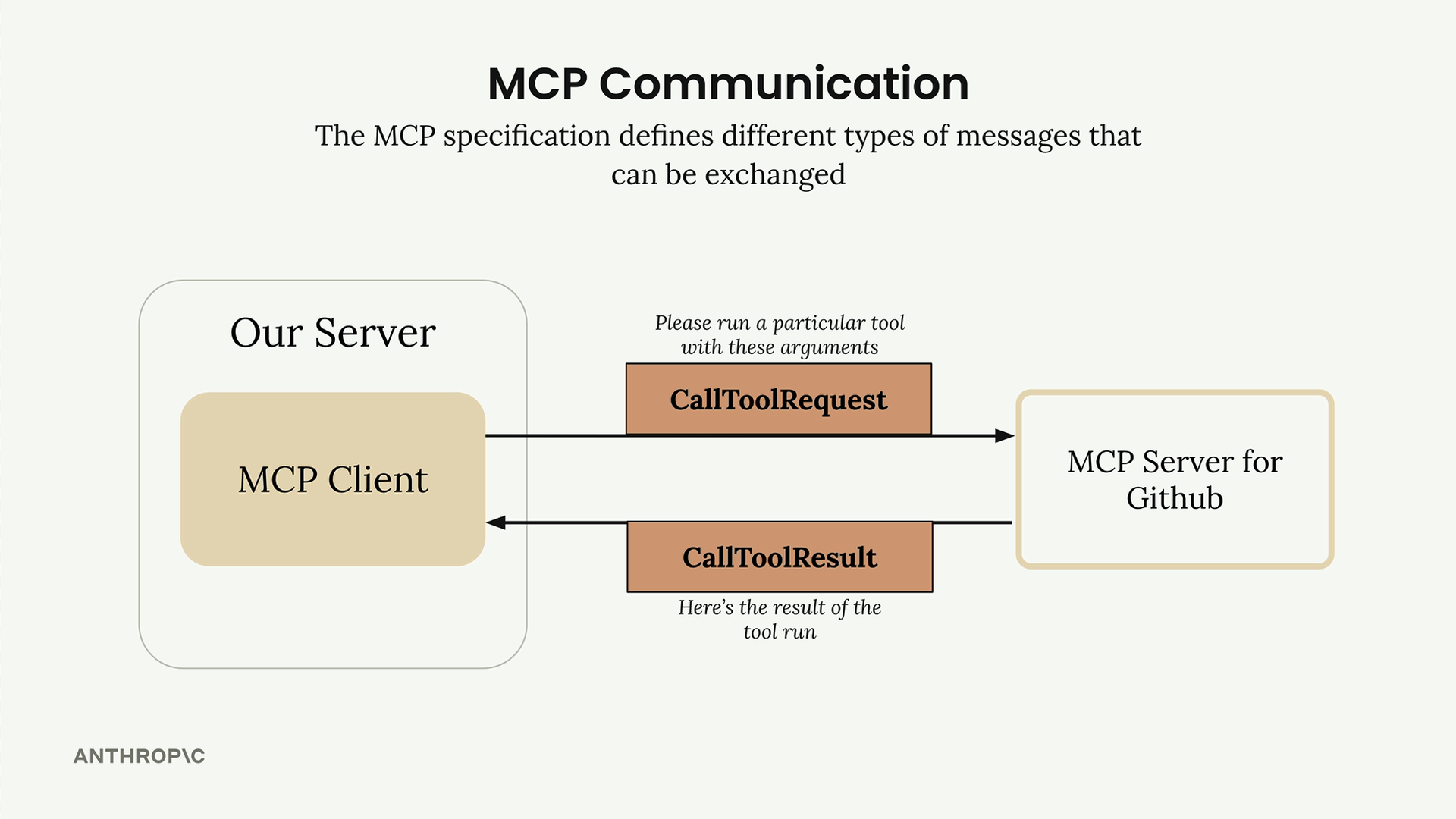
The MCP client is the bridge between your application and MCP servers.
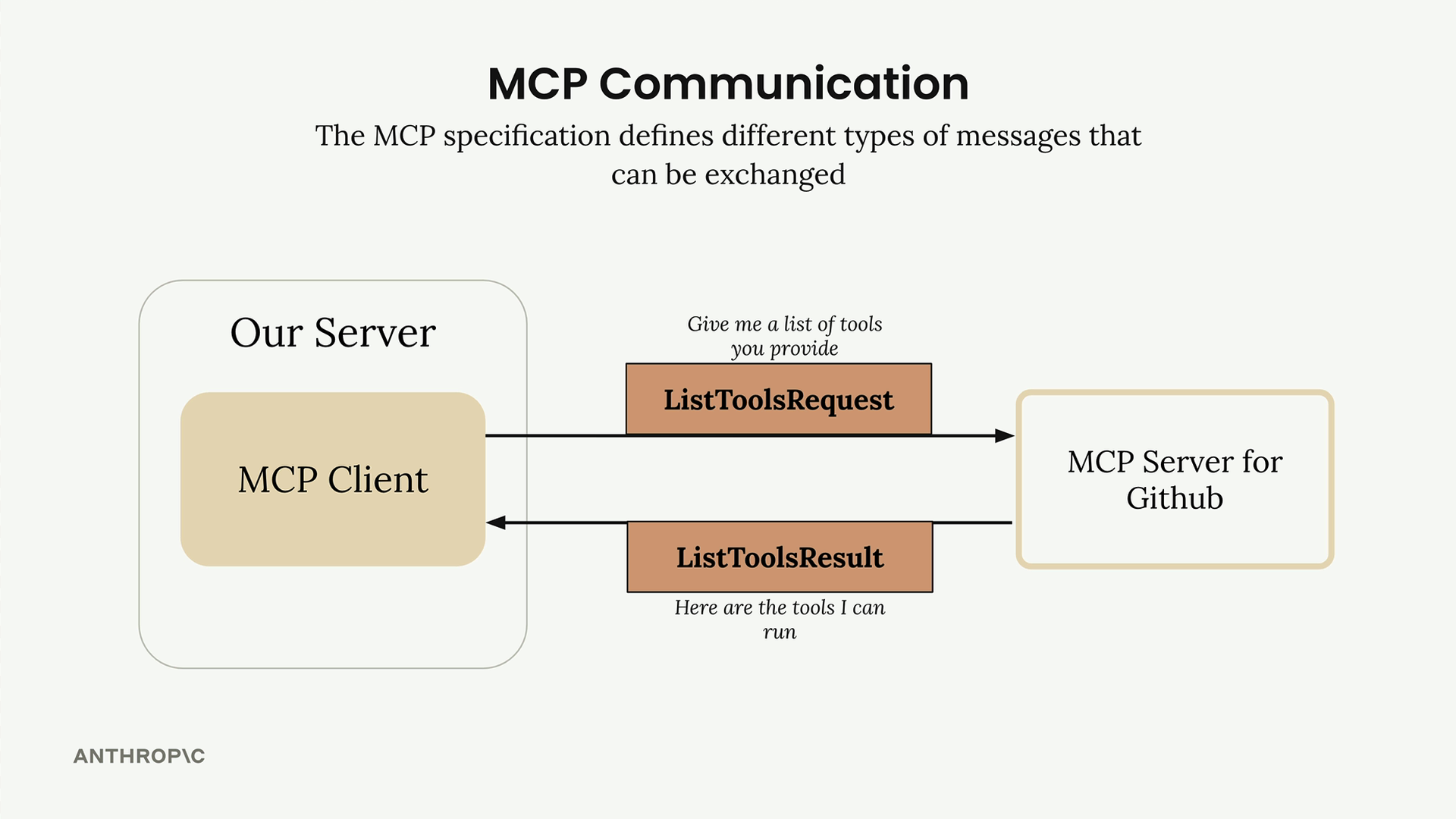
It handles communication, sends requests, receives responses, and allows your application to discover which tools are available.
The MCP server is the part that provides the functionality.
It can be connected to GitHub, Google Drive, a database, an internal tool, or any other system.
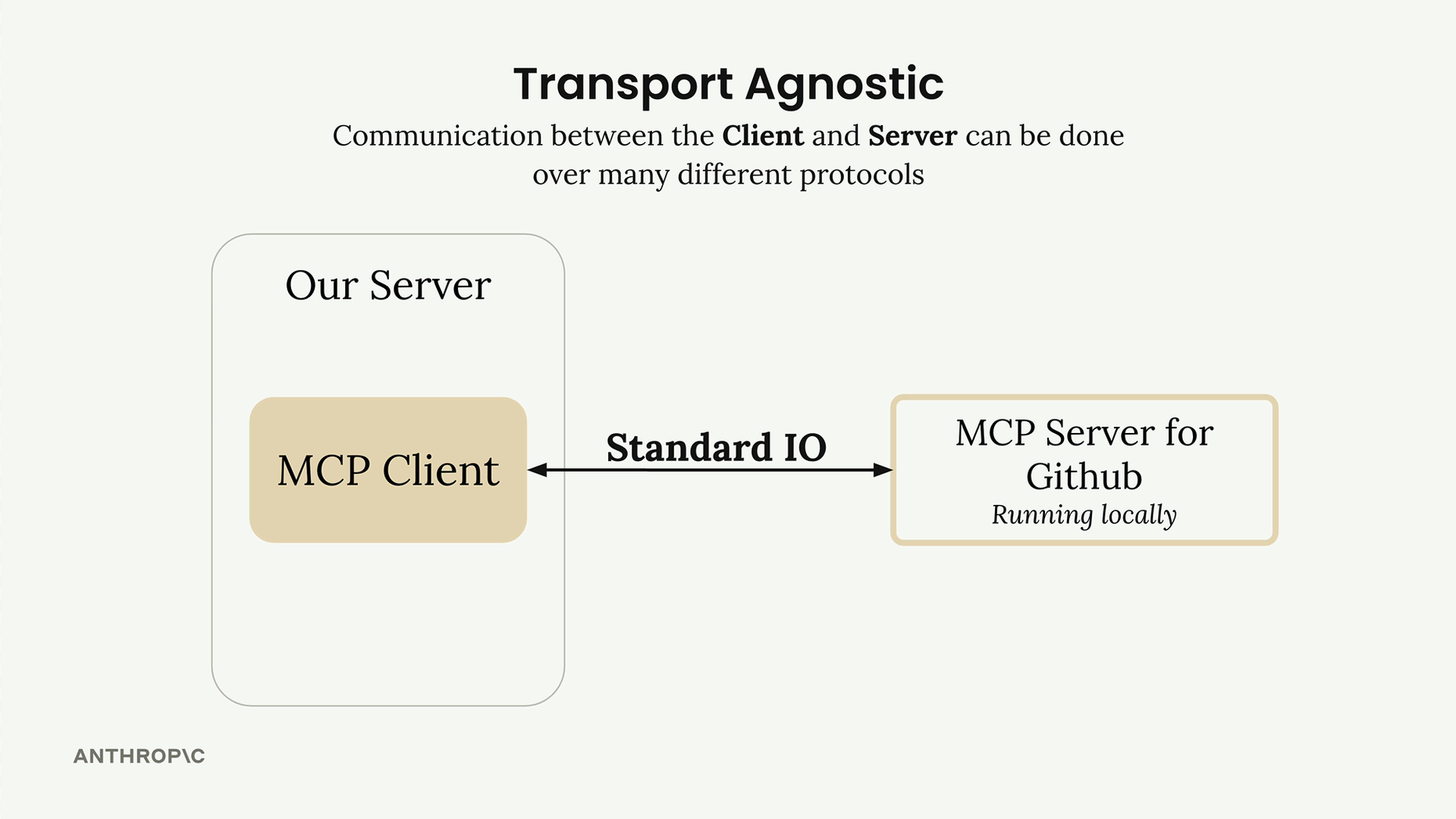
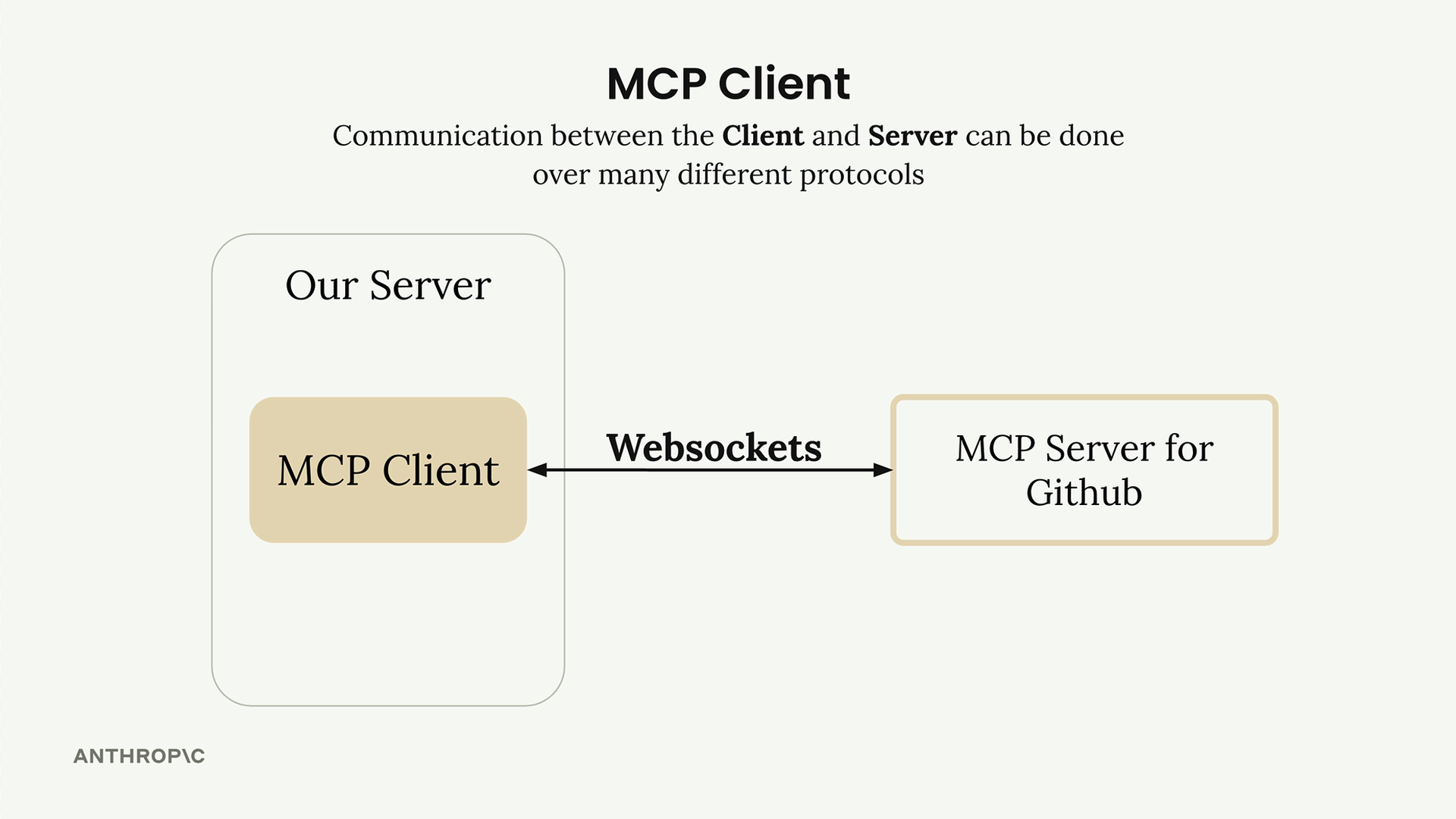
Communication between client and server can happen in different ways. In many cases, both run on the same machine and communicate through standard input and output. But it is also possible to use HTTP, WebSockets, and other protocols.
This flexibility allows MCP to be used in different types of applications, from local projects to complex production systems.
How a question flows through MCP
Let’s imagine a user asks:
“What repositories do I have?”
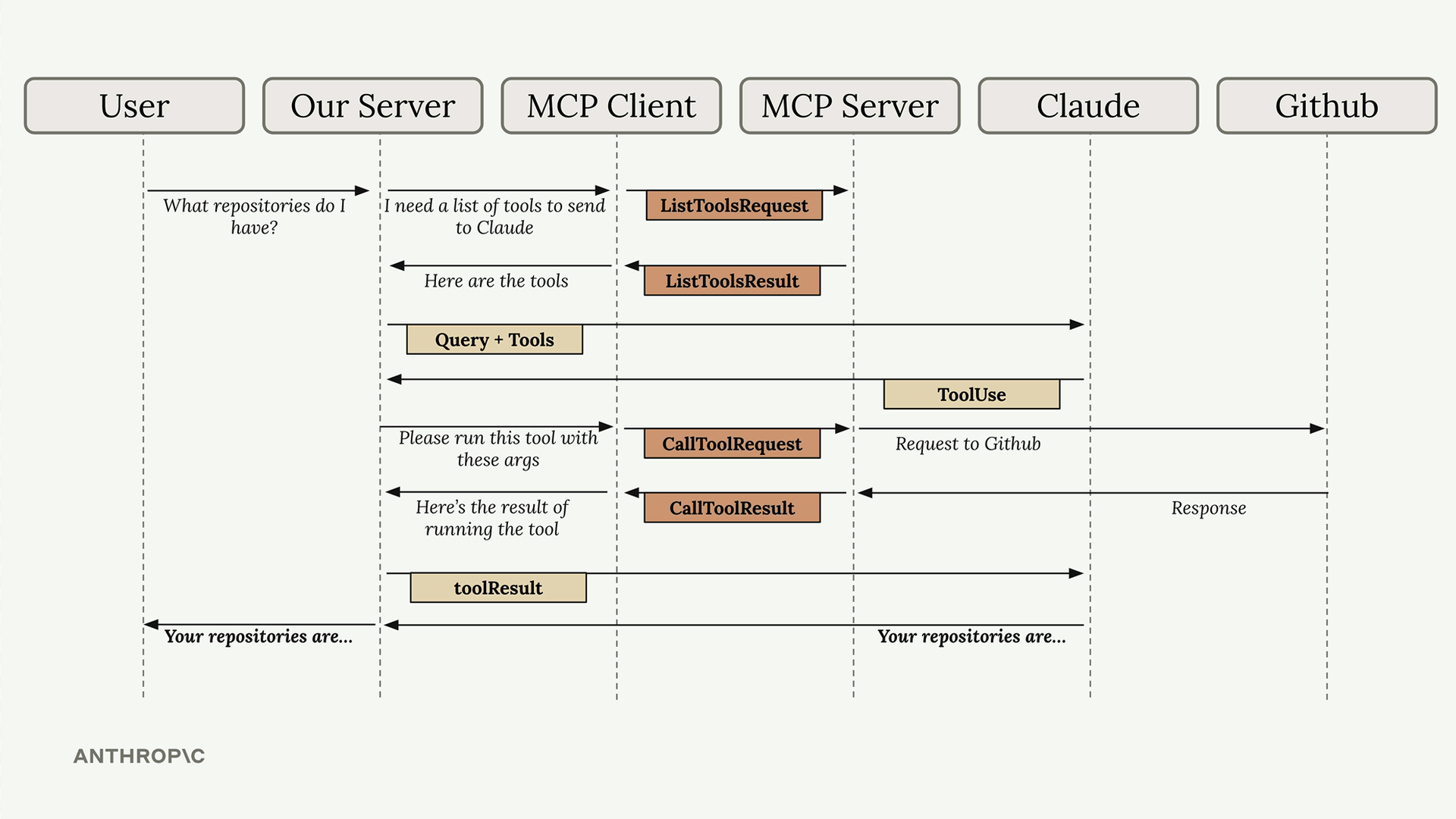
The flow could work like this:
The user sends the question to your application.
Your application checks which tools are available.
The MCP client asks the MCP server which tools it provides.
The MCP server responds with a list of tools.
The application sends the question and available tools to the AI model.
The model understands that it needs a tool to answer.
The application asks the MCP client to execute that tool.
The MCP client sends the request to the MCP server.
The MCP server queries the GitHub API.
GitHub responds with repository data.
The MCP server returns the result to the client.
The application sends the result to the model.
The model creates a final answer for the user.
It may look like a long flow, but each part has a clear responsibility.
The application handles the user experience.
The MCP client handles communication.
The MCP server handles integration with the external service.
The model uses the results to provide a better answer.
This separation makes the system more organized and easier to evolve.
The three main parts of MCP
Inside an MCP server, there are three important concepts: tools, resources, and prompts.
Each one serves a different purpose.
Tools: model-controlled capabilities
Tools are functions that the model decides when to use.
If the AI needs to fetch data, perform an action, or check external information, it can call a tool.
For example, if the user asks about GitHub repositories, the model can decide to use a tool to list them.
Tools are useful when you want to give the AI new capabilities.
They allow the model to do more than generate text. It can act based on the context and the tools available.
Resources: application-controlled context
Resources are data or content controlled by the application.
The application decides when to fetch this data and how to use it.
A simple example would be an interface that lets users add Google Drive files to the conversation context. In this case, the application chooses which files to show, which data to load, and how to insert that information into the chat.
Resources are useful when you want to bring additional context into the application or conversation.
They are not necessarily called directly by the model. This flow is controlled by the system itself.
Prompts: user-controlled workflows
Prompts are ready-made workflows or commands that users can trigger.
They work like shortcuts for specific tasks.
For example, a button in the interface that starts a document analysis, generates a summary, or runs an optimized workflow.
In this case, the user decides when to use it.
Prompts are ideal for creating guided experiences, where certain actions are available through buttons, menus, or commands.
When to use each one
A simple way to think about it is:
If you want to give the model a new capability, use tools.
If you want to fetch data for the application or add context, use resources.
If you want to create a ready-made flow for the user to trigger, use prompts.
This division helps a lot when structuring AI applications.
Instead of putting everything in the same place, you separate responsibilities and create cleaner systems.
Why MCP is important
MCP can become an important piece in the future of AI applications.
Today, each tool usually has its own way of integrating with AI systems. This creates a fragmented environment, where every project needs to solve similar problems again and again.
MCP proposes a more standardized path.
It makes it easier to create reusable integrations, reduces manual work, and simplifies the connection between AI models and external systems.
For developers, this means less repetitive code.
For companies, it means integrations that are easier to maintain.
For users, it means AI experiences that are more useful, connected, and intelligent.
Conclusion
MCP is not just another technology in the AI ecosystem.
It represents a more organized way to connect models to tools, data, and external services.
Instead of every application needing to create integrations from scratch, MCP servers can provide ready-made and standardized tools.







Komentar0
Silakan masuk untuk meninggalkan komentar.