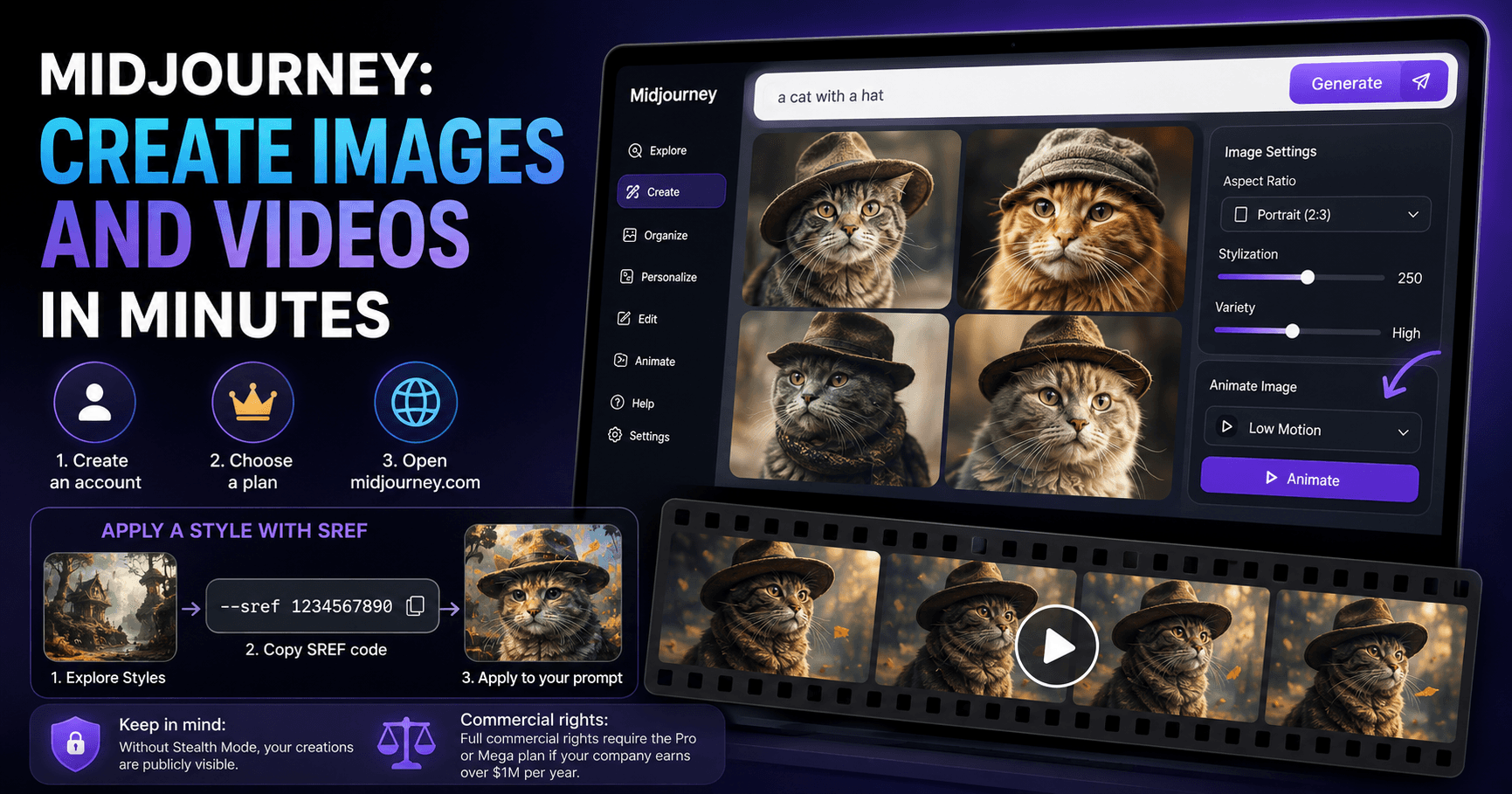

Midjourney is still one of the most impressive tools for generating images with artificial intelligence. Even with the growth of many other platforms, it continues to stand out for its visual quality, artistic styles, and ease of use.
Today, the process is even simpler. You no longer need to rely only on Discord, because Midjourney can also be used directly through a web browser by accessing the official platform.
What You Need to Get Started
To use Midjourney, you need three basic things:
A Midjourney account, which can be created easily by logging in with Google.
An active subscription, since the tool requires a paid plan to generate images.
A web browser to access midjourney.com.
Although it is still possible to use Midjourney through Discord, the web version is simpler, more organized, and more practical, especially for beginners. The interface allows you to create images, adjust styles, generate variations, and even turn images into videos with just a few clicks.
Creating Your First Image
After entering the platform, the first step is to write a prompt. A prompt is simply the description of the image you want to create.
For example:
a cat with a hat
When you submit this command, Midjourney starts generating four different versions of the image. This is useful because you can compare the results and choose the one that best matches your idea.
If you like one of the images, you can click on it to create variations. This way, Midjourney keeps the main idea but changes details such as framing, style, expression, lighting, or composition.
You can also create a new prompt and adjust the settings before generating another image. For example, you can choose a portrait format, increase the variety of the results, or test different styles.
Turning an Image into a Video
One of the most interesting features is the option to animate an image.
After generating an image you like, simply click on it and look for the Animate Image option. Then, you can choose a motion preset, such as Low Motion, to turn that static image into a short video.
This feature is very useful for creating content for social media, animated posts, short videos, promotional visuals, or more eye-catching visual ideas.
There is also a shortcut: by right-clicking on an image, you can quickly access the animation options.
Using Styles with SREF
One of the best ways to create consistent images in Midjourney is by using SREF codes, which stands for Style Reference.
These codes work as a style reference. Instead of trying to manually describe the visual style you want, you can copy a style code and apply it directly to your prompt.
To find these styles, go to the Explore tab and then open the Styles panel. There, you can browse through different ready-made styles. When you find a look you like, you can copy the SREF code or click Try Style to automatically apply that style to your most recent prompt.
This helps a lot when you want to create several images with the same visual identity. For example, if you are creating a series of posts, characters, project visuals, or images for an article, using SREF makes everything look more consistent.
Important Notes About Privacy and Rights
There are two important details to consider before using Midjourney professionally.
The first is that, if you are not using stealth mode, your creations may be publicly visible. This privacy mode is only available on the Pro or Mega plans.
The second point involves commercial rights. In general, you have commercial rights to the images you generate. However, if your company makes more than one million dollars per year, you need to use the Pro or Mega plan to have full rights, according to the platform’s terms.
For this reason, before using Midjourney images in large commercial projects, it is worth checking the updated terms of service.
Conclusion
Midjourney has become much more accessible and practical. In just a few steps, you can create an account, write a simple prompt, generate high-quality images, apply custom styles, and even turn those images into videos.
The key is to test variations, explore styles, and use visual references to maintain consistency. For anyone working with content, design, marketing, or visual creation, Midjourney can be a powerful tool for quickly turning simple ideas into professional-looking images.







Komentar0
Silakan masuk untuk meninggalkan komentar.