
Creating images with artificial intelligence has already become common. Today, tools like Midjourney, Stable Diffusion, and other platforms can generate impressive artwork in just a few seconds. But there is one area where many of these AIs still fail a lot: writing text inside the image.
Anyone who has tried to create a poster, sign, logo, or design with words using AI knows how strange the result can look. Sometimes the letters appear scrambled, with meaningless words or errors that are difficult to fix.
This is exactly where Ideogram AI stands out.
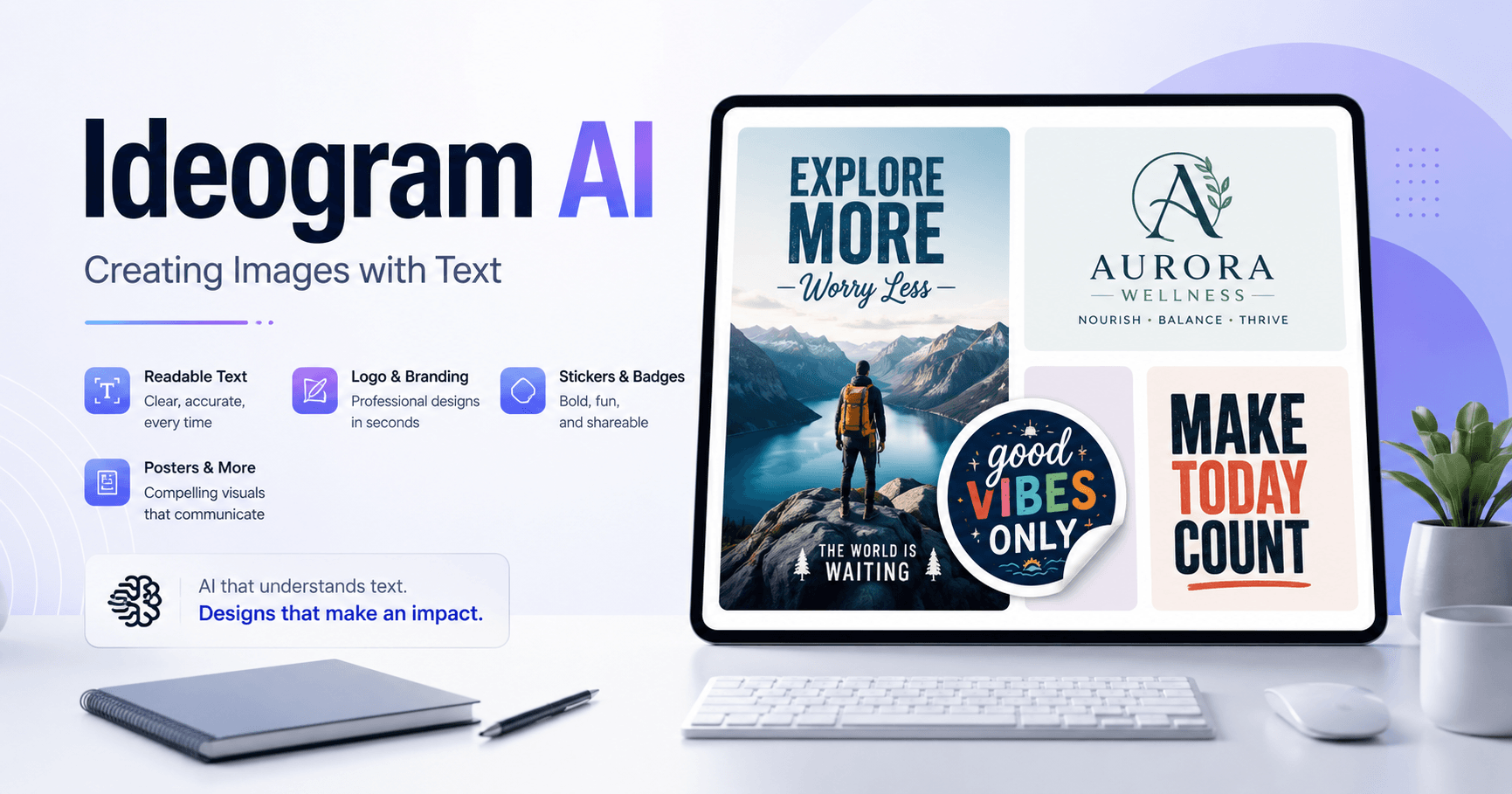
Ideogram is an AI image generation tool that became known for creating images with much more readable text. This makes the platform interesting for people who work with design, logo creation, posters, thumbnails, stickers, clothing prints, and visual content for social media.
Why Ideogram Stands Out
The biggest difference with Ideogram is how it handles text inside images.
While some tools generate very beautiful images but fail when they need to write a simple phrase, Ideogram can deliver better results in projects that involve words, brand names, short phrases, and typography elements.
That does not mean it gets everything right every time. In some cases, there may still be errors, swapped letters, or incomplete words. But compared to many other image tools, it is usually more efficient when the goal is to combine visuals and text.
This feature makes a big difference for people who want to create:
Logos with a brand name
Posters with phrases
Signs and road signs
Custom stickers
T-shirt designs
Thumbnails with text
Digital product artwork
Campaign and ad materials
How to Start Using Ideogram
To use Ideogram, simply access ideogram.ai and log in, for example, with a Google account.
The platform interface is simple. As soon as users enter, they find a page with featured images, trends, and examples created by other people. This helps a lot because you can observe prompts, styles, and results to understand what works best.
Another interesting point is that Ideogram also works like a visual community. You can see popular creations, analyze ideas from other users, and get inspiration to create your own designs.
Creating Images with Text
The creation process is similar to other AI tools. You write a prompt describing what you want and choose some styles, such as poster, 3D render, typography, logo, or other available formats.
For example, instead of asking only for “a futuristic robot,” you can write something more specific:
“A cinematic-style robot wearing a T-shirt with the text ‘I’ll be back’, in a futuristic poster format.”
Ideogram will try to create the image and include the requested text. The result may not be perfect on the first try, but the tool allows you to keep refining it.
The Power of Remix
One of Ideogram’s most useful features is Remix.
When you generate an image and like one of the versions, you can click Remix to continue creating new variations from that result. This is very useful because, many times, the first generation brings a good idea but still needs adjustments.
With Remix, you can follow a specific visual direction and improve the result little by little. In practice, this helps turn an almost good image into something closer to what you really want.
This feature is especially useful for logos, stickers, and typography-based artwork, because small adjustments can greatly improve the final composition.
Ideogram for Logos
One of the most interesting uses of Ideogram is logo creation.
The tool can quickly generate visual ideas for brands, restaurants, stores, channels, personal projects, and digital products. For example, you can ask for a minimalist logo for a taco restaurant, a clothing brand, or a local business.
The result should not always be used as a final logo without review, especially in professional projects. But it can be excellent for generating initial ideas, testing styles, and creating visual references.
For designers, Ideogram can speed up the brainstorming phase a lot.
Instead of starting from zero, you can generate several options, choose the best ones, and then finish them manually in an editing tool.
Ideogram for Stickers and T-Shirts
Another very interesting use is creating stickers, prints, and product artwork.
The transcript shows examples such as a pug dog with a funny phrase, a T-Rex holding toilet paper, and designs with humorous text. This type of creation works very well for personalized products, such as:
T-shirts
Stickers
Mugs
Posters
Notebook covers
Print-on-demand products
The strong point here is speed. In just a few minutes, it is possible to test several phrases, styles, and characters until you find a creative composition.
Even so, it is important to review the text carefully, because the AI can still make mistakes in some words.
Ideogram or Midjourney?
An important comparison from the transcript is between Ideogram and Midjourney.
Midjourney is still considered one of the best tools for creating extremely realistic, detailed images with beautiful lighting and strong visual quality. In images without text, it usually delivers more polished results.
On the other hand, when the subject is generating text inside the image, Ideogram has the advantage.
In other words:
Midjourney may be better for realistic and highly aesthetic images.
Ideogram may be better for images with text, logos, phrases, and typography.
In practice, both tools can be used in different ways. If you want a cinematic or conceptual image, Midjourney can be a great choice. But if you need to create a poster with a phrase, a logo with a name, or a print with text, Ideogram may be the better option.
Ideogram’s Limitations
Although it is very good with text, Ideogram also has limitations.
Some images may come out with artifacts, strange faces, or less realistic visual details. In some cases, the generated file resolution may also be low, which requires using an upscaling tool before using the image in a larger project.
Also, the tool does not always get the text right on the first try. Sometimes you need to simplify the prompt, place the desired phrase in quotation marks, test different styles, or make several attempts with Remix.
That is why the best workflow is to treat Ideogram as a creation and experimentation tool, not as a magic solution.
Tips to Get Better Results
To use Ideogram better, it is worth following a few simple practices:
Use short phrases inside the images.
Place the main text in quotation marks.
Clearly explain the desired visual style.
Test tags like logo, poster, typography, or 3D render.
Use Remix when an image is almost good.
Avoid very long prompts when the focus is text.
Always review the words before using the final result.
These small actions greatly increase the chances of getting a cleaner and more professional image.
Is Ideogram Worth Using?
Yes, especially if your goal involves images with text.
Ideogram is a very useful tool for designers, content creators, entrepreneurs, social media managers, sellers of personalized products, and anyone who needs to create quick visuals with phrases, names, or logos.
It does not completely replace the work of a designer, but it can speed up ideas, generate references, create visual drafts, and even produce ready-to-use images for simpler purposes.
The biggest advantage is clear: while many AIs still struggle with letters and words, Ideogram can deliver much better results for this type of task.
Conclusion
Ideogram AI is one of the most interesting tools for anyone who wants to create images with text using artificial intelligence.
It stands out in generating logos, posters, stickers, typography, and artwork with phrases. Even with some limitations, such as possible text errors or lower realism in certain cases, the tool offers a practical and creative workflow to quickly turn ideas into images.
For anyone working with visual creation, social media, design, or personalized products, it is worth testing Ideogram and exploring its generation and Remix features.
In the end, the best way to use the tool is to experiment. Write good prompts, test different styles, refine the best results, and use AI as a creative partner in the process.







Komentar0
Silakan masuk untuk meninggalkan komentar.